EasyManua.ls Logo

Philips RC369 - Page 11

Philips RC369
23 pages
Print Icon
To Next Page IconTo Next Page
To Previous Page IconTo Previous Page
Loading...
RANDOM
TRACK
PLAYBACK
e
Press
RANDOM
key
during
playback
to
play
the
track
on
the
disc
in
random
order.
e
Press
the
RANDOM
key
again
to
resume
normal
playback.
REPEAT
TRACK
e
Press
REPEAT
key
during
playback
to
repeat
the
current
track.
e
Press
the
REPEAT
key
again
to
resume
normal
playback.
he
CD
magazine.
CARE
OF
DISCS
Avoid
making
fingerprints
on
the
disc
~
Put
the
disc
back
in
its
box
immediately
after
eject
it,
to
protect
the
disc
from
damage
and
dust.
Never
expose
disc
to
heat
or
direct
sunlight.
*
only
for
certain
versions
PHILIPS
REMOTE
CONTROL
(EA2001)
A
Philips
remote
control
(EA2001)
can
be
connected
to
this
set.
See
your
dealer
for
more
information.
The
remote
control
allows
you
to
carry
out
some
of
the
main
functions
of
the
set,
without
the
need
to
take
your
eyes
off
the
road
while
driving.
This
increases
your
safety.
;
select
Opt
d
set
the
Choice
to
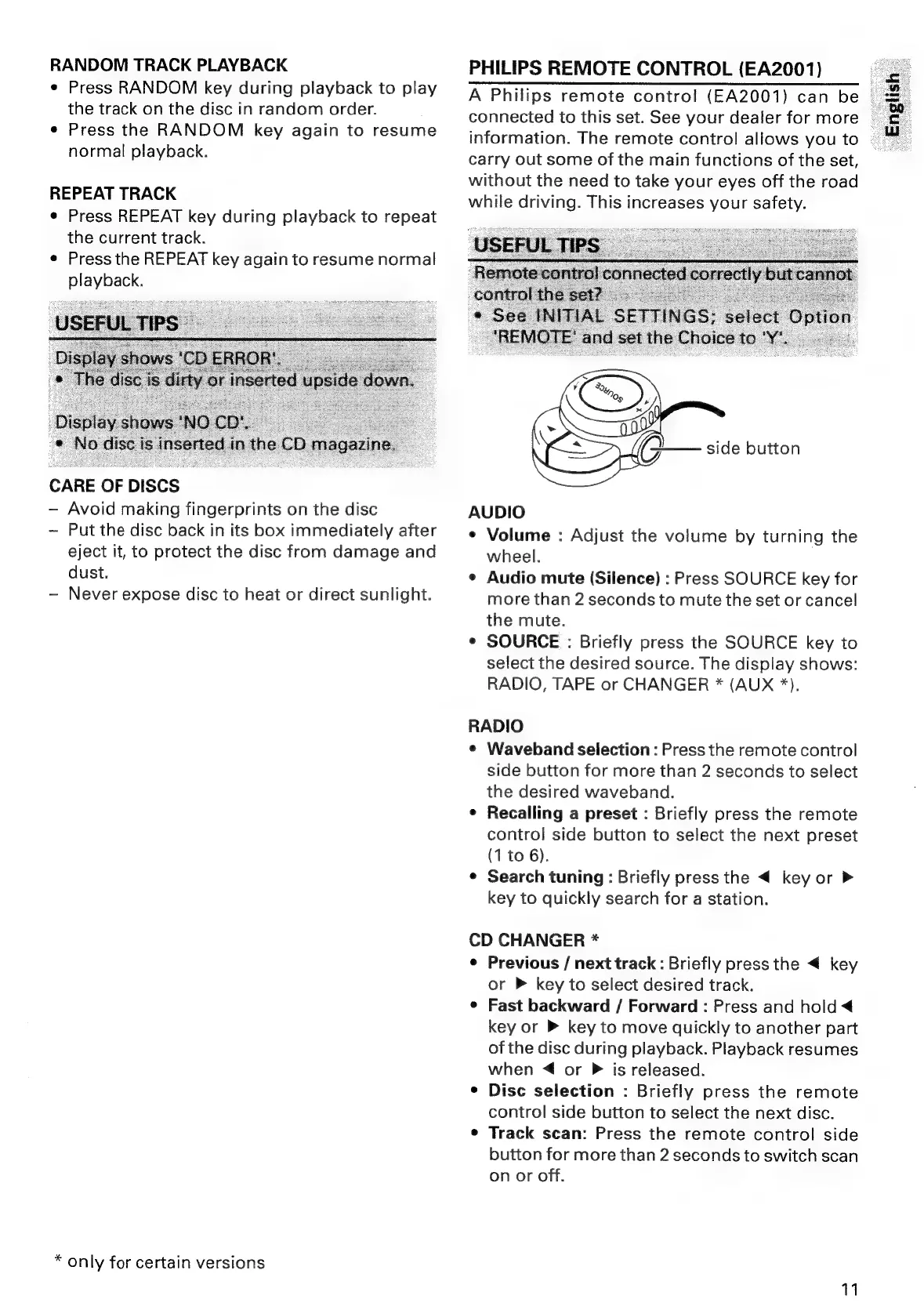
side
button
AUDIO
¢
Volume
:
Adjust
the
volume
by
turning
the
wheel.
¢
Audio
mute
(Silence)
:
Press
SOURCE
key
for
more
than
2
seconds
to
mute
the
set
or
cancel
the
mute.
¢
SOURCE
:
Briefly
press
the
SOURCE
key
to
select
the
desired
source.
The
display
shows:
RADIO,
TAPE
or
CHANGER
*
(AUX
*).
RADIO
¢
Waveband
selection
:
Press
the
remote
control
side
button
for
more
than
2
seconds
to
select
the
desired
waveband.
e
Recalling
a
preset
:
Briefly
press
the
remote
control
side
button
to
select
the
next
preset
(1
to
6).
¢
Search
tuning:
Briefly
press
the
<
key
or
key
to
quickly
search
for
a
station.
CD
CHANGER
*
¢
Previous
/
next
track
:
Briefly
press
the
key
or
P
key
to
select
desired
track.
e
Fast
backward
/
Forward
:
Press
and
hold
<
key
or
®
key
to
move
quickly
to
another
part
of
the
disc
during
playback.
Playback
resumes
when
4
or
P
is
released.
¢
Disc
selection
:
Briefly
press
the
remote
control
side
button
to
select
the
next
disc.
e
Track
scan:
Press
the
remote
control
side
button
for
more
than
2
seconds
to
switch
scan
on
or
off.
11
English”

Related product manuals