11EN
3 Get started
Charge power
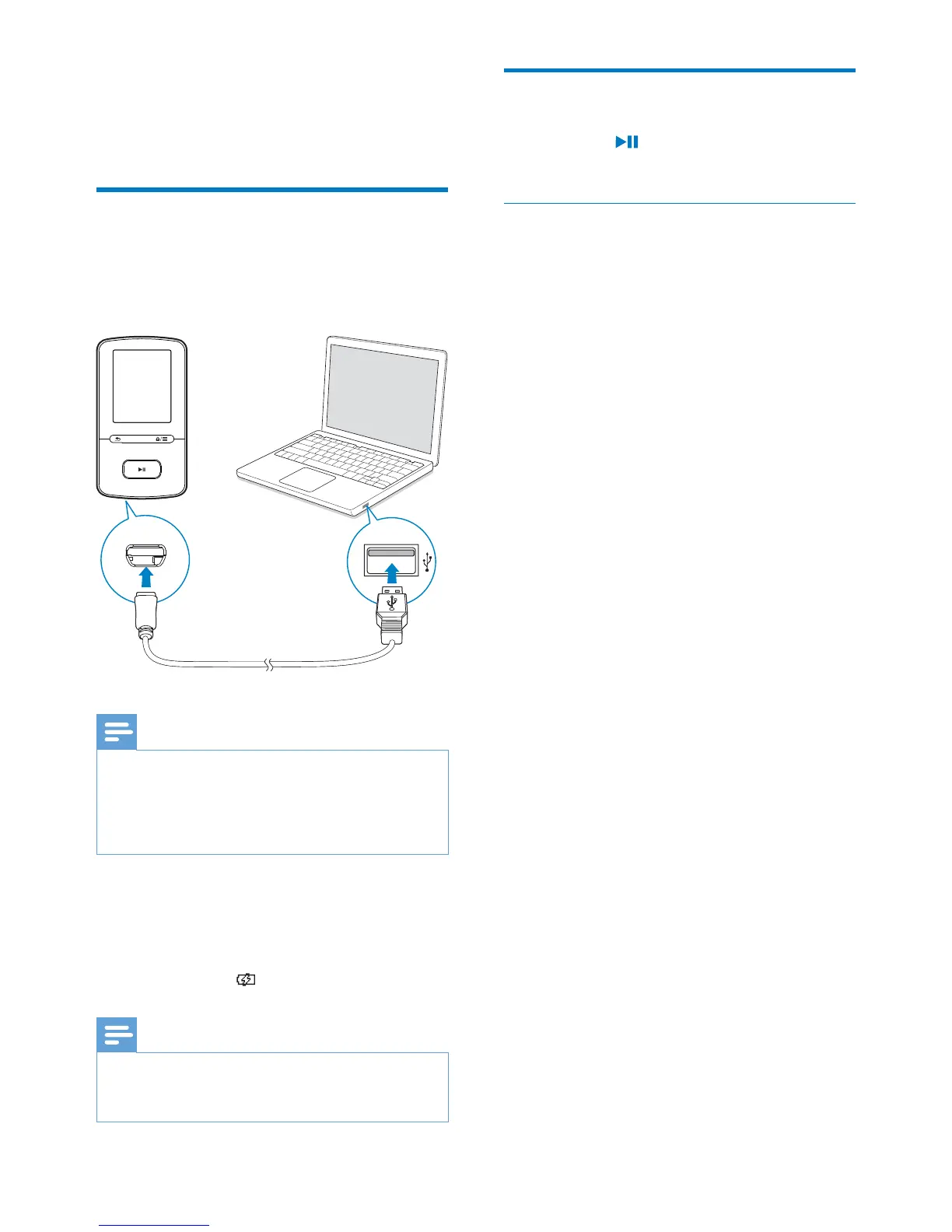
VIBE has a built-in battery that can be charged
through the USB socket of a computer.
Connect VIBE to a PC by using the USB cable.
Note
When you connect VIBEWRDFRPSXWHU\RXDUHEULHÁ\
prompted to select: [Charge & transfer] or [Charge
& play].
VIBE automatically applies [Charge & transfer], if no
new selection is made.
Battery level indication
When the battery is low, the low
battery screen is displayed repeatedly.
When the charging process is
complete,
is displayed.
Note
Rechargeable batteries have a limited number of charge
cycles. Battery life and number of charge cycles vary by
use and settings.
Switch the player on or off
Press and hold until the player is switched
on or off.
Automatic standby and shut-down
The player has an automatic standby and shut-
down feature that can save battery power.
After 10 minutes in idle mode (no play, no
button is pressed), the player switches off.



 To Next Page