33EN
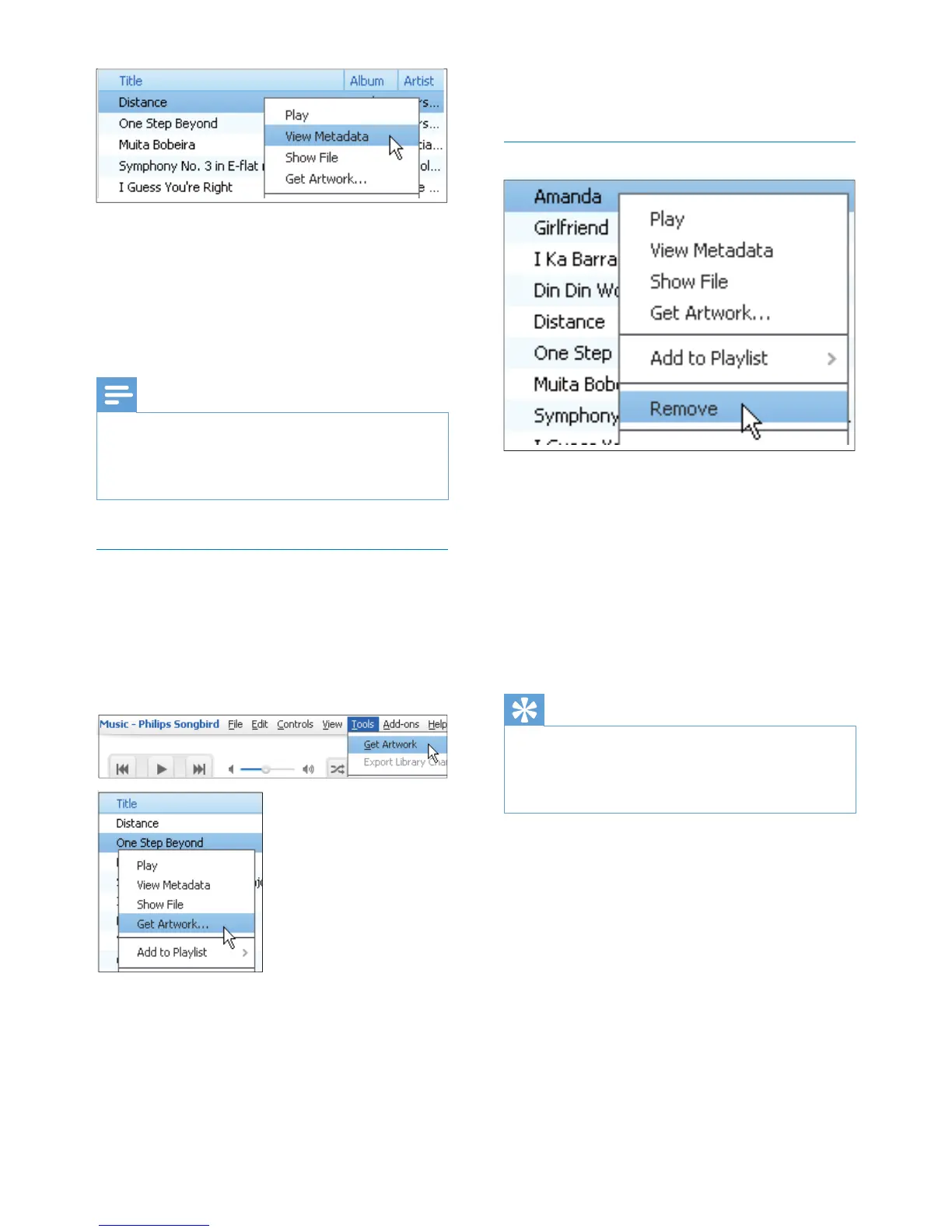
1 In Library > MusicVHOHFWDPXVLFÀOH
2 5LJKWFOLFNRQWKHÀOHWRVHOHFWView
Metadata.
» A metadata table is displayed for you
to edit the information.
Note
7RVRUWWKHPXVLFÀOHVIURPRhapsody as needed, edit
the metadata in the media library of Philips Songbird.
The song information remains unchanged on the play
screen.
Get album artwork
Artwork is sometimes available for music
downloads. With Philips Songbird, you can
insert artwork for songs.
After you sync the songs to some players, you
can browse the media library by artwork.
On Philips Songbird, select Tools > Get
Artwork.
» Artwork is fetched for all titles in the
library.
Right click on selected titles, and select Get
Artwork.
» Artwork is fetched for all selected
titles.
5HPRYHPHGLDÀOHVIURPWKHOLEUDU\
1 5LJKWFOLFNRQDPHGLDÀOH6HOHFWRemove.
2 &RQÀUPDVSURPSWHG
» 7KHVHOHFWHGÀOHLVUHPRYHGIURPWKH
library and from all playlists. (By default,
WKHÀOHLVRQO\UHPRYHGQRWGHOHWHG
7KHÀOHVWLOOH[LVWVLQLWVRULJLQDO
location on the computer or computer
network.)
Tip
7RVHOHFWPXOWLSOHÀOHVKROGGRZQWKH Ctrl button
when you click on selections.
7RVHOHFWPXOWLSOHFRQVHFXWLYHÀOHVKROGGRZQWKHShift
EXWWRQZKHQ\RXFOLFNRQWKHÀUVWDQGODVWVHOHFWLRQV



 To Next Page