35EN
1 Select the player under Devices.
2 On the pop-up screen, click the Music tab.
3 Click to select an option.
Manual sync
To transfer selected playlists manually,
1 Select playlists.
2 Drag and drop the playlists to VIBE.
7RWUDQVIHUVHOHFWHGPHGLDÀOHVPDQXDOO\
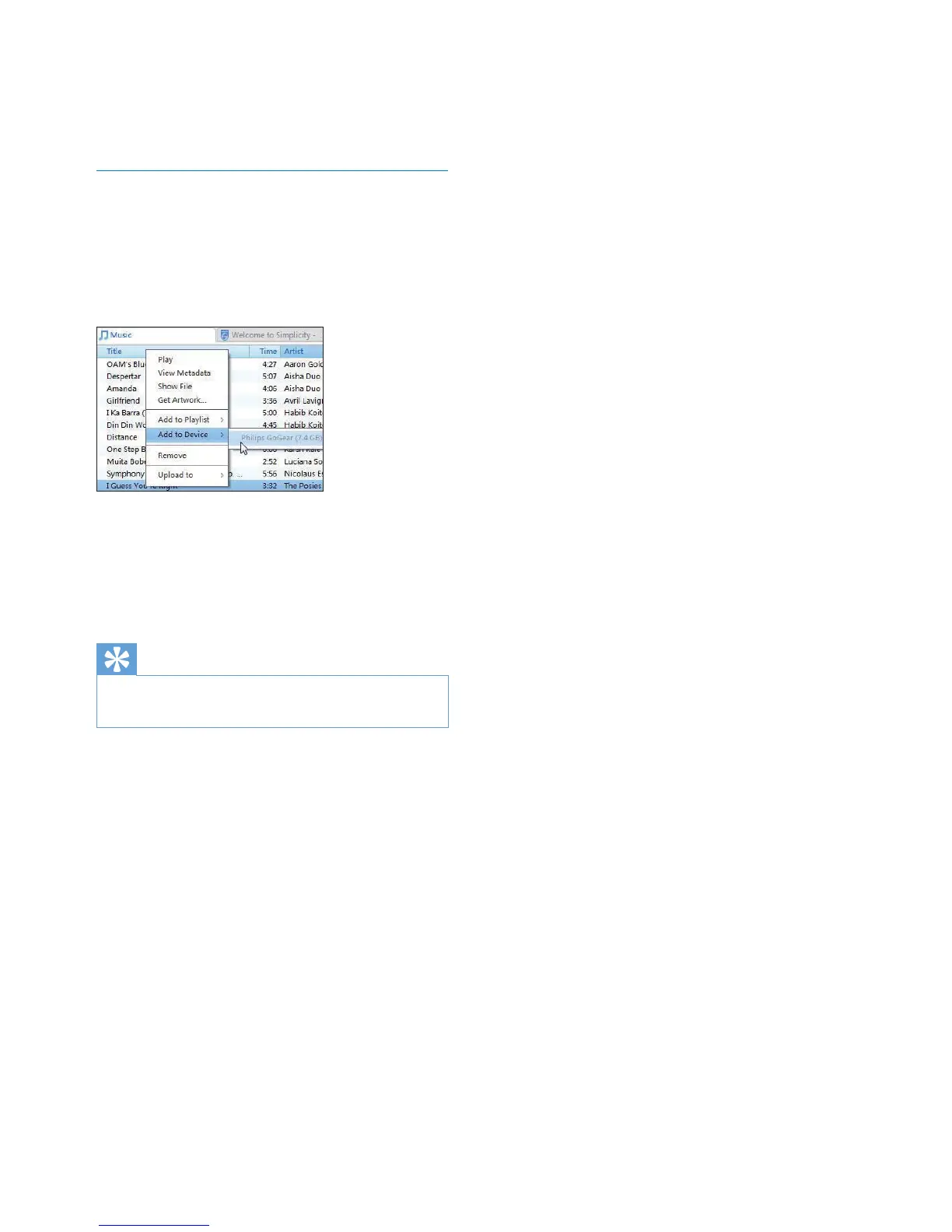
1 On the Content pane, right click on a
VHOHFWHGPHGLDÀOH
2 Select Add to Device > VIBE.
» 6HOHFWHGÀOHVDUHWUDQVIHUUHGWRVIBE.
Tip
7RVHOHFWPXOWLSOHÀOHVDWWKHVDPHWLPHKROGGRZQWKH
Ctrl button when you click options.



 To Next Page