5 EN
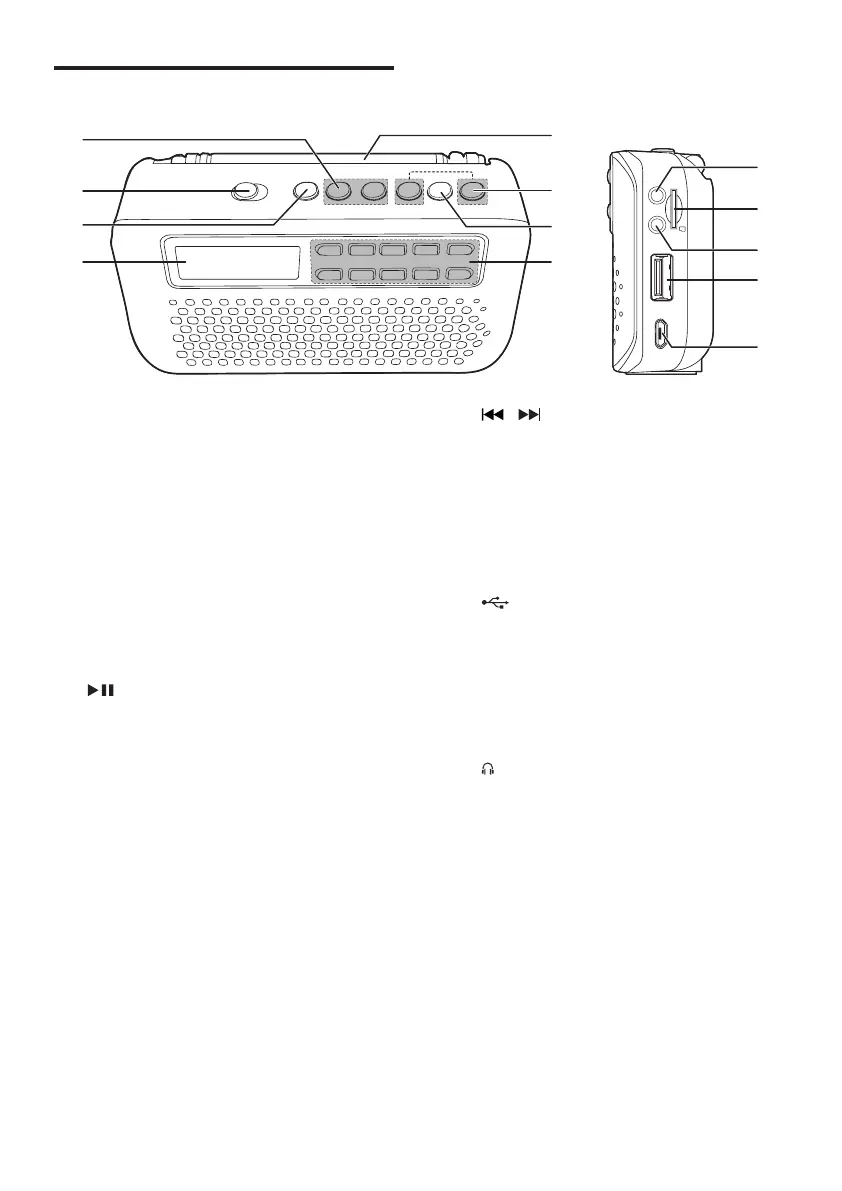
Overview of the speaker
a -/+
• Adjust volume.
b ON/OFF
• Turn the speaker on or off.
c S
• Select a source.
d Display panel
e 0 - 9
• Numeric buttons: select a track or
preset radio station.
f
• Start or pause play.
• Store FM radio stations.
• Enable folder selection.
m
l
k
j
i
a
b
c
d
h
g
f
e
g /
• Select a track or folder.
• Search within play.
• Tune to FM radio stations.
h FM antenna
i DC 5V
• Recharge the built-in battery.
j
• Connect a USB storage device.
k AUX
• Connect an external device.
l MICRO SD
• Micro SD card slot.
m
• Headphone socket.



 To Next Page