7 EN
4 Play
Play from Micro SD card
Note
•
Make sure that the Micro SD card contains playable
audio content.
1 Press S repeatedly to select the Micro SD
card source.
» [SD] is displayed.
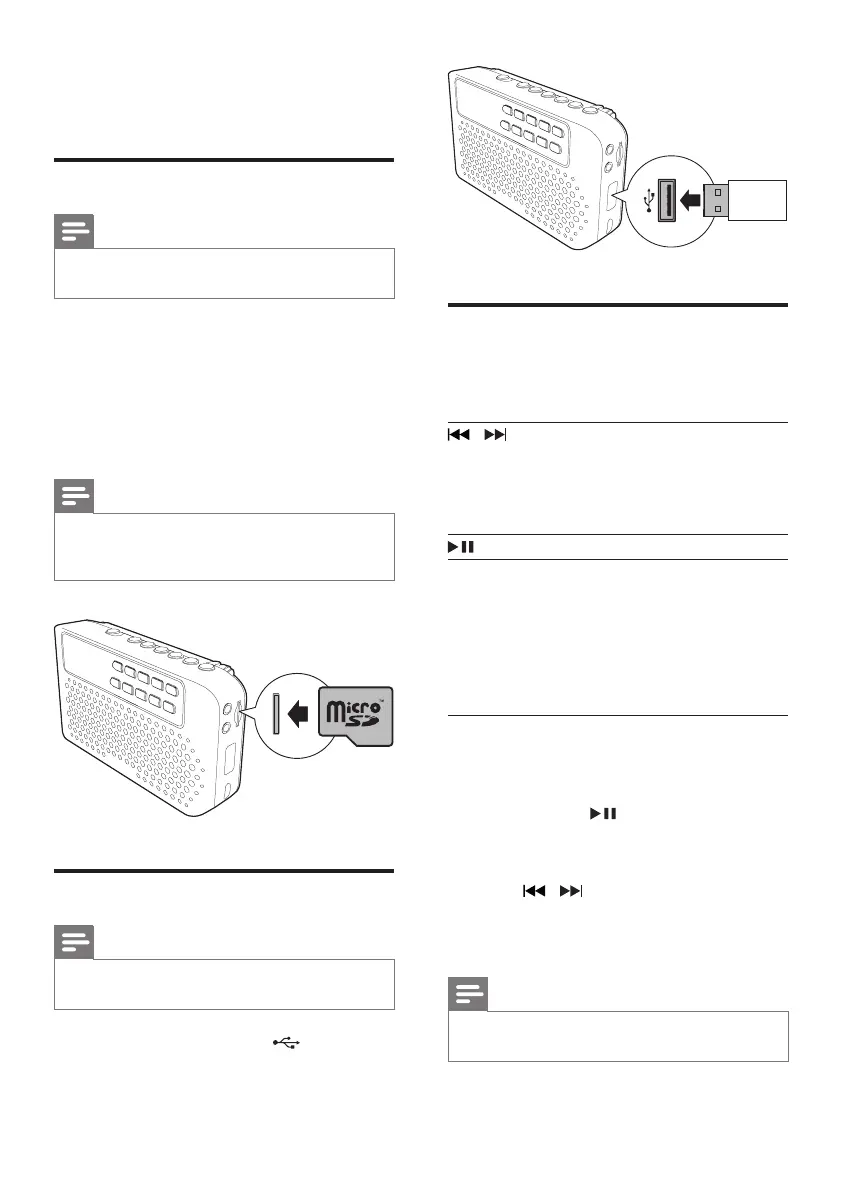
2 Insert a Micro SD card into the card slot.
» Play starts automatically.
Note
•
Due to different materials and product techniques, it
cannot be guaranteed that all Micro SD cards will work
with this speaker.
Play from USB device
Note
•
Make sure that the USB storage device contains
playable audio content.
Insert the USB device into the socket.
» [USB] is displayed.
» Play starts automatically.
Control play
In USB or Micro SD mode, you can control play
through the following operations.
/ Selectanaudiole;
Press and hold to fast-forward
or fast-reverse the track during
playback, then release to resume
play.
Start or pause play.
Numeric
buttons
Press0-9toselecttherst9
tracks directly.
To select 2-digit or 3-digit track
number, press the corresponding
numeric buttons (e.g., press 4 and
5 to select Track 45; press 1, 3, and
2toselectTrack132).
If the USB device or Micro SD card contains
several folders, you can select a folder to play
music.
1 Press and hold for 2 seconds.
» The current folder [F X] (X stands for
thefoldernumber)isdisplayed.
2 Press / repeatedly to select a folder.
» Thersttrackinthefolderisplayed
automatically.
Note
•
All the root directories and sub-folders can be selected
to play music.



 To Next Page