19
7.8 Cry alert
You can set a cry alert to warn you that the
baby is crying.
1 Select ‘Cry alert’ in the menu with the + and -
2 Select ‘Vibration ON’ with the + and -
• The cry alert indicator appears on the
display.
• The cry alert goes off when the sound in
the baby room is loud enough to make the
fourth sound level light go on. The parent
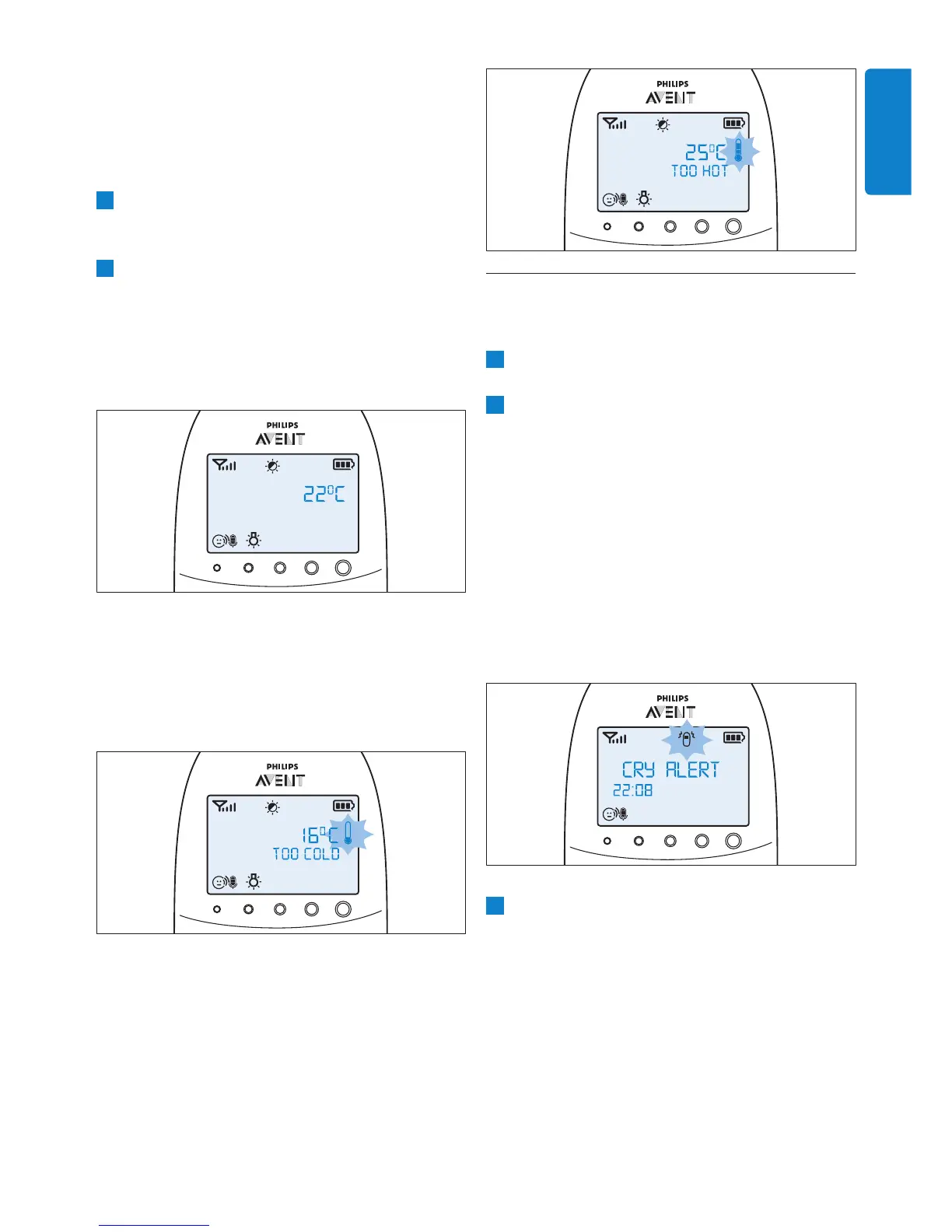
unit vibrates and the message ‘Cry alert’
appears on the display for 4 seconds. The
cry alert repeats every 8 seconds until the
sound becomes less loud or you deactivate
the cry alert.
3 To deactivate the cry alert, select ‘Cry alert’ in
the menu and select ‘Vibration OFF’ with the
+ and - buttons.
only, sound and vibration, vibration only and
• After you have conrmed your choice of the
alert option, the temperature alert symbol
appears on the display.
7 Select ‘Temp Scale’ with the + and - buttons.
temperature scale.
8 Select ‘Celsius’ or ‘Fahrenheit’ and press OK to
• The temperature in the set scale appears
on the display. If the temperature is within
the set range, the temperature alert symbol
has two segments.
• If the temperature is below the set range,
the temperature alert symbol on the
display has only one segment and ashes.
The message ‘TOO COLD’ appears on the
display.
• If the temperature is above the set range,
the temperature alert symbol on the
display has three segments and ashes. The
message ‘TOO HOT’ appears on the display.
ENGLISH


 To Next Page
 Loading...