8
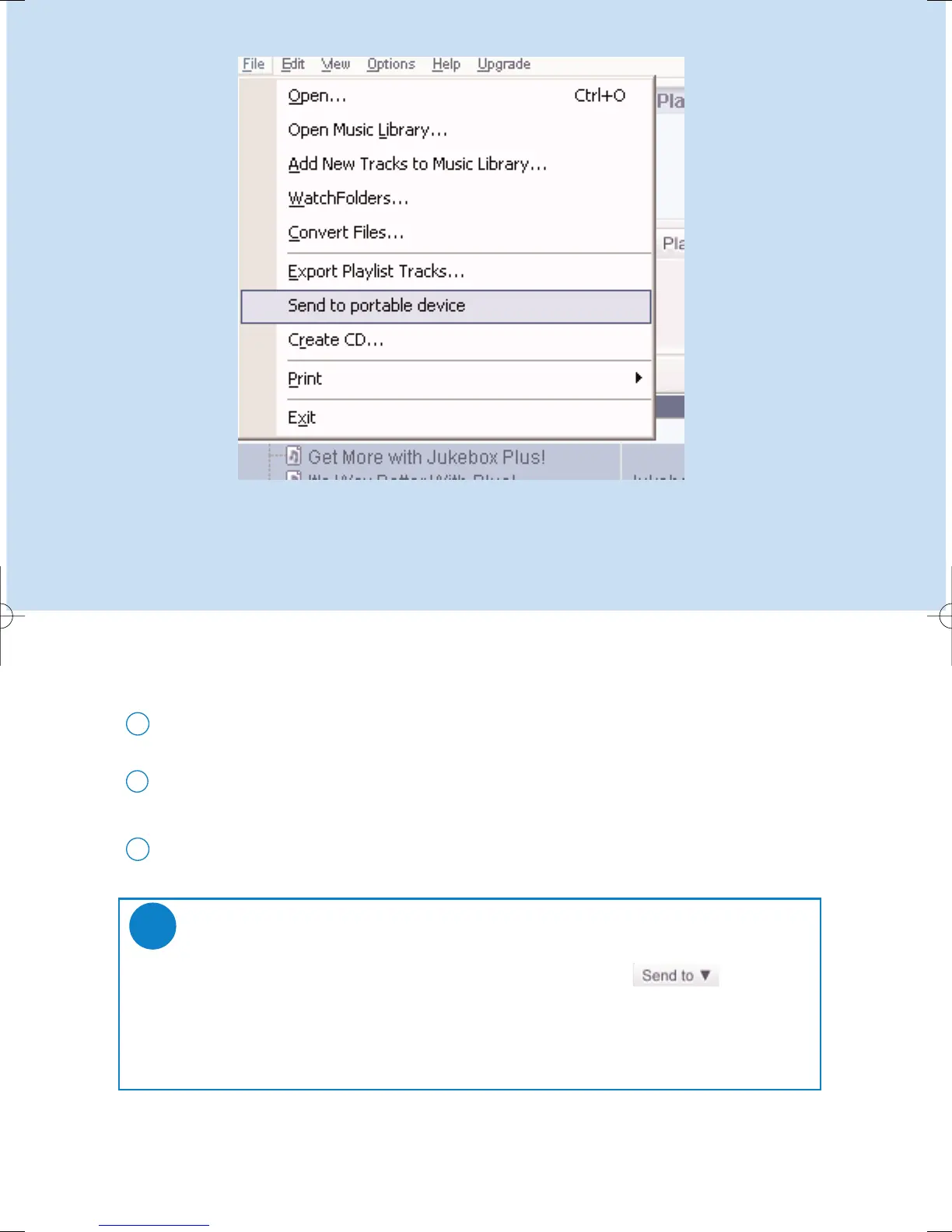
Send tracks and playlists to your device
Click on File > Send to portable device for the Portable Device Manager.
1
Drag and drop tracks and playlists into the Portable Device Manager. (Philips PSSxxx.
xxx=model number)
2
Your selection is now transferred to your device.
3
TIP
You can transfer playlists directly to your device by clicking on the button
under the playlist window
For further details of Musicmatch® Jukebox, click Help > Musicmatch Jukebox Help.
✔
*Actual display varies with use











 To Next Page