5
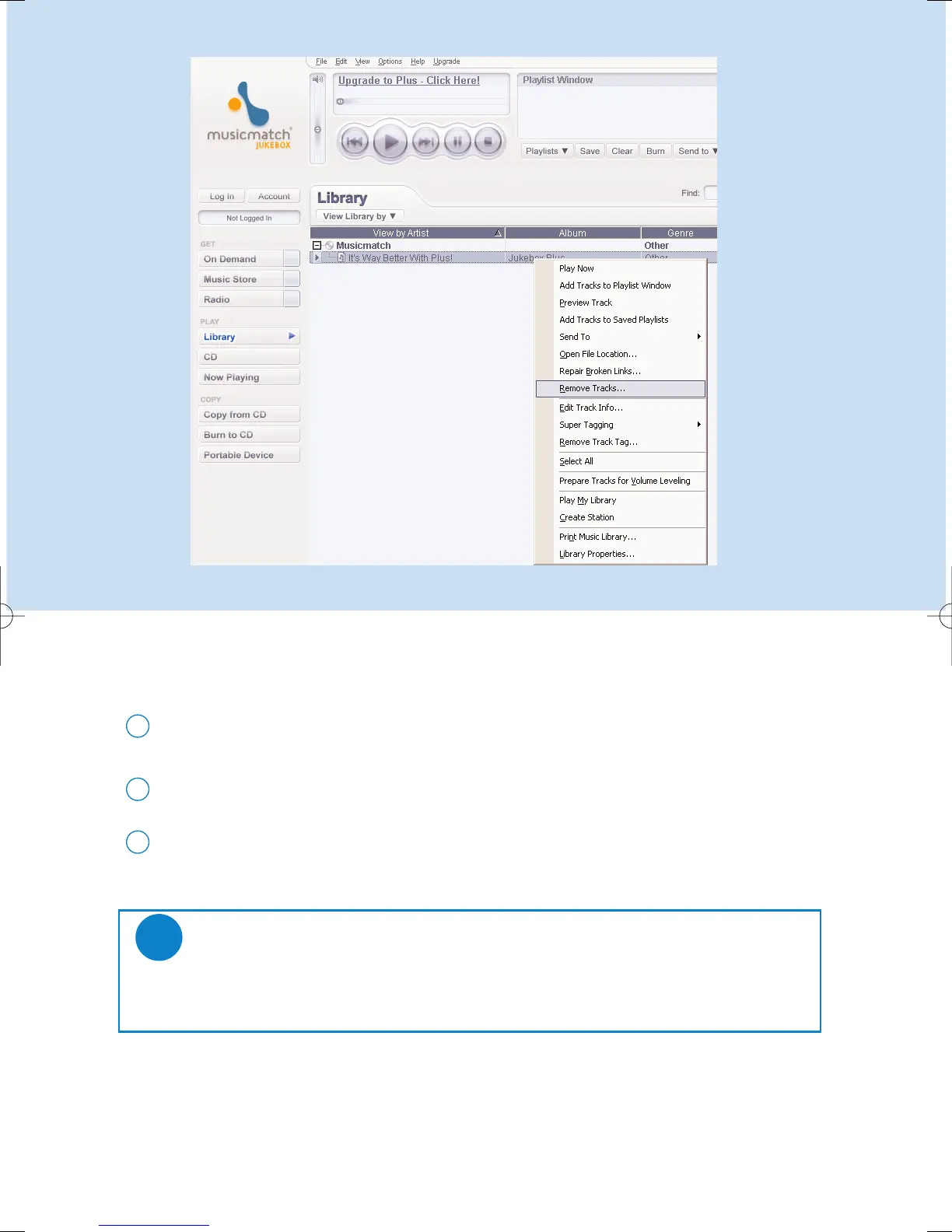
Delete Tracks and Playlists
Click to highlight an item.
1
Right click and select Remove tracks to delete.
2
Alternatively, press <Delete> on your keyboard to delete your selection.
3
*Actual display varies with use
TIP
Press and hold <Ctrl> on your keyboard and click to select more than one item.
To select consecutive items, click the first item, press and hold <Shift> on your
keyboard, and then click the last item.
✔











 To Next Page