4
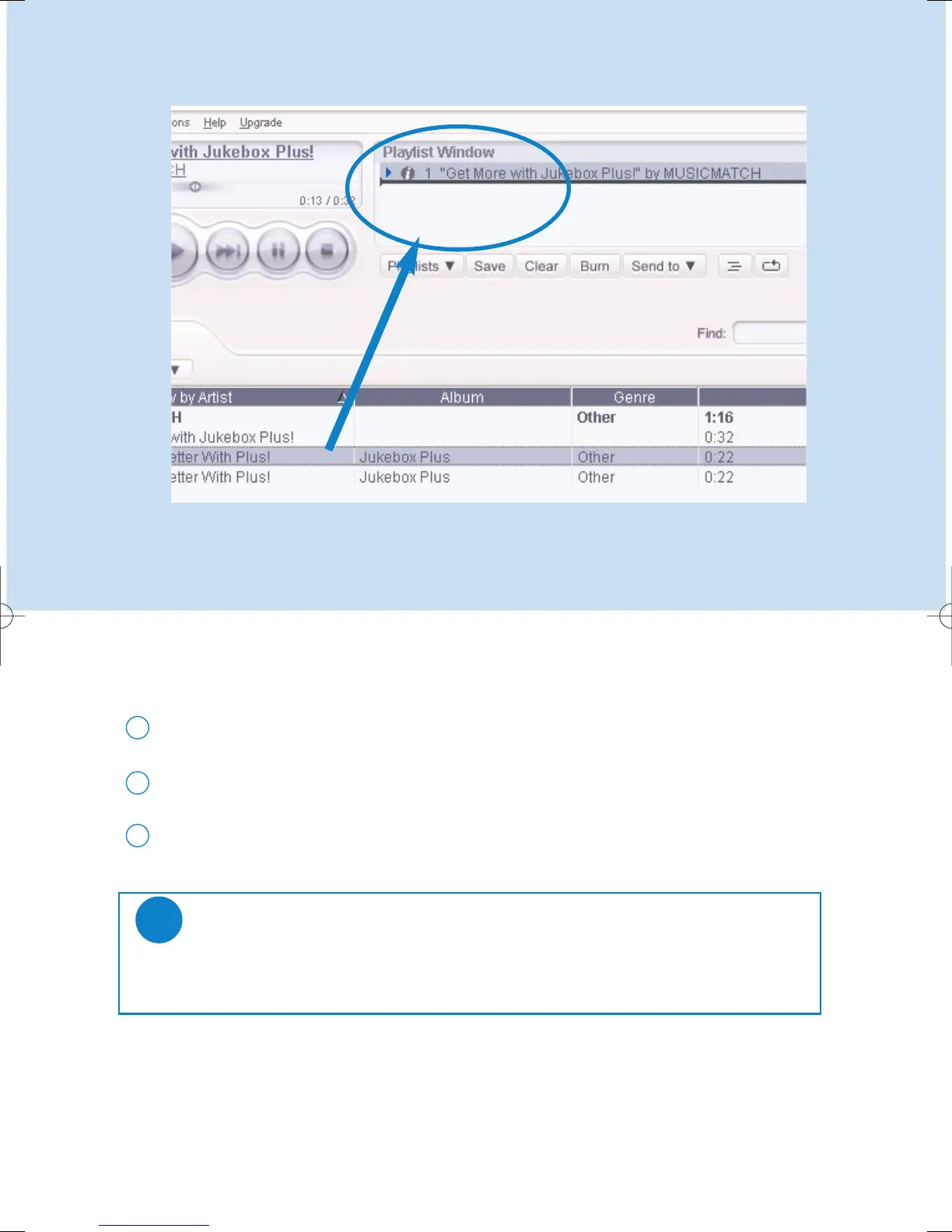
Add Tracks to a Playlist by Drag and Drop
Click to highlight an item.
1
Drag the selection to the playlist window.
2
Your selection is now in the playlist. It will begin to play.
3
TIP
Press and hold <Ctrl> on your keyboard and click to select more than one item.
To select consecutive items, click the first item, press and hold <Shift> on your
keyboard, and then click the last item.
✔
*Actual display varies with use











 To Next Page