3
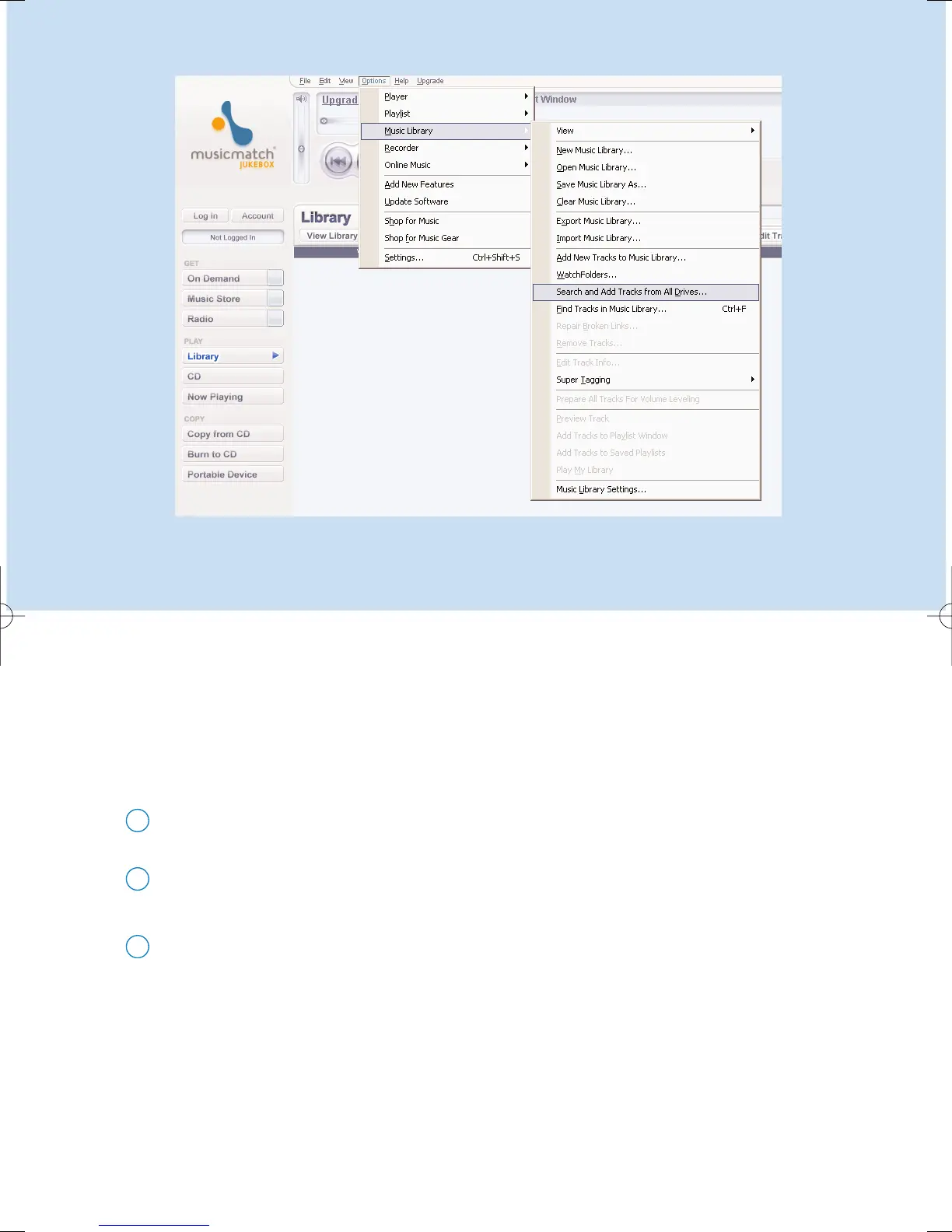
Search and add tracks from all drives
(to the Library)
Go to the menu Options > Music Library > Search and Add Tracks From All Drives.
1
In the Look In field, choose All Drives (or any other preferred drives) to search for
music files. Check or uncheck other options and click OK to start searching.
2
Files will be added to the Library.
3
*Actual display varies with use
Musicmatch® Jukebox will find music files on your PC hard drive, or all hard drives available.











 To Next Page