4
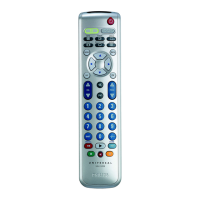
GUIDE....................... electronicprogramguide.
MENU/HOME... menuon/off.
INFO...........................on-screenchannel
information.
EXIT............................ exits/clearson-screen
menudisplays.
3 4 1 2............... cursorup,down,left,
rightinamenu.
OK............................... confirmsyourselection.
Coloredkeys.........
Contentsensitivekeys.
5
+VOL-...................... adjustsTVvolume.
................................ mutesTVsound.
................................ previousprogram/Last.
+CH-....................... previous/nextchannel.
6
4P3P........................ previous(4P)/next
(3P)page/trackin
variousmodes.
/ ..................... setyourThumbratings.
5.................................. rewind.
2.................................... play.
6.................................. fastforward.
9.................................... stop.
0................................... record.
;..................................... pause.
7 ............................... usedafterdirectchannel
selection.Somedevices
requireENTERtobe
pressedafterchannel
selection.
.........................selectsbetweenone
andtwo-figurechannel
numbers.
8 ............ digitkeysfordirect
channel/trackselection.
9
................................ switchestheselected
deviceon/off.
Note
ForsomeTVbrands/types,thiskeywillonly
turnofftheTV.Youwillhavetopressadigit
button(directchannelselection)toturnon
theTVagain.
3.2 Resettingakeytoitsoriginal
function
Ifanimprovedkey(
seechapter2.3.2)stilldoes
notfunctionasexpected,youcanalwaysreset
thekeytoitsoriginalfunction.
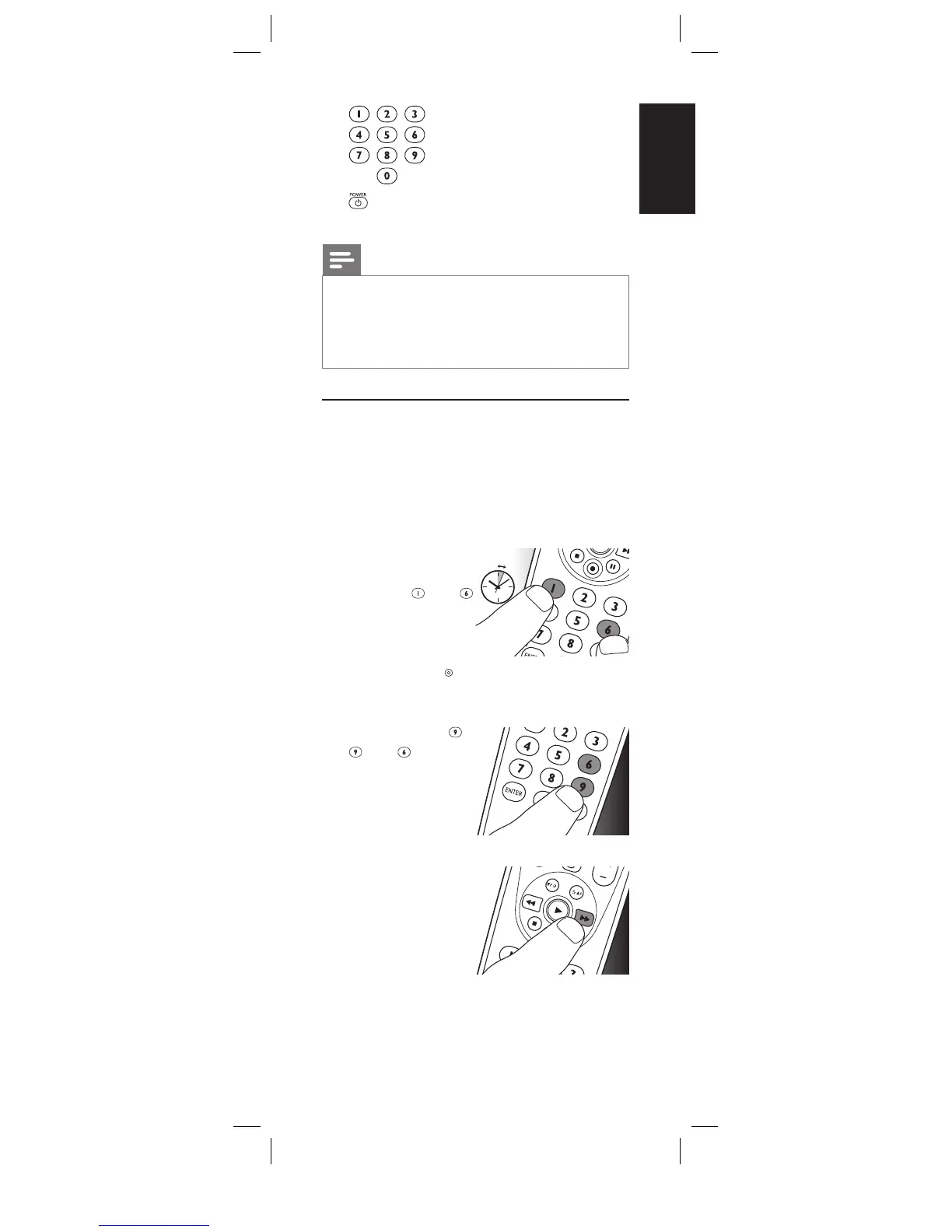
1
Inthecurrent
devicemode,keep
digitkeys
and
pressed
simultaneouslyfor
5seconds,
untilthe
redSetuplight
lightsup.
• Theremotecontrolisnowinsetup
mode.
2
Pressdigitkeys ,
,and ,
inthat
order.
• Aftereachkey
pressthedevice
selectionkey
blinksonce.
3
Pressthekeythat
youwishtoreset
twice.E.g.the22
key.
• Aftereachkey
pressthedevice
selectionkeyblinksonce.
• Thedeviceselectionkeywillblinkone
moretimetoconfirmthatthekeywas
succesfullyresettoitsoriginalfunction.
Serviceandsupport
5sec.
2x










 To Next Page