3EN
Tableofcontents
1 YourSRP4004.................................................3
2 Gettingstarted........................................... 4-9
2.1Insertingthebatteries....................................4
2.2Testingtheuniversalremote
control................................................................4-5
2.3Settinguptheuniversalremote
control................................................................5-9
3 Usingtheuniversalremotecontrol.....9-11
3.1Keysandfunctions.....................................9-11
3.2Resettingakeytoitsoriginal
function................................................................11
4 Serviceandsupport..............................12-14
4.1Frequentlyaskedquestions...............12-13
4.2Needhelp?........................................................14
FCCCompliancy............................................14
NoticeforCanada........................................14
Helpline...............................................................43
Brandlist......................................................44-55
1
YourSRP4004
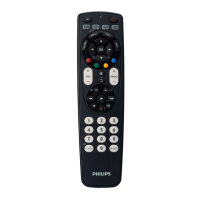
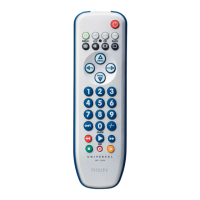
CongratulationsonyourpurchaseofthePhilips
SRP4004universalremotecontrol.Aftersetting
uptheremotecontrolyoucanoperateupto4
differentdeviceswithit.
SimpleSetup
ImprovedwithPhilipspatented(pending)Simple
Setuptechnology,theSRP4004canbesetup
easilyforTV,DVDplayer/recorder,VCRand
allcommonCable,Satelliteandothersettop
boxes,suchasDirecTV,Comcast,AT&T,Verizon,
TimeWarner,ScientificAtlanta,Tivoandmany
more.
Simplyfollowtheinstructionsinchapter2.3to
setuptheremotecontrolforyourdevices.
Glowkeys
Theremotecontrolglowkeys(-VOL+,
-CH+,ENTER,(-)andthenumerickeys)light
upinthedark,enablingeasyuseoftheremote
control,eveninadimlylitroom
TofullybenefitfromthesupportthatPhilips
offers,registeryourproductatwww.philips.com/
welcome.
YourSRP4004







 To Next Page