2
Gettingstarted
2.1 Insertingthebatteries
• Insert2AAAtype
batteries,noting
the+and-
configurationin
thebattery
compartment.
Note
Whenreplacingthebatteries,allusersettings
willberetainedintheremotecontrol
memoryforanunlimitedperiodoftime.
2.2 Testingtheuniversalremote
control
Itisadvisedtotestwhetheryourdevice(s)
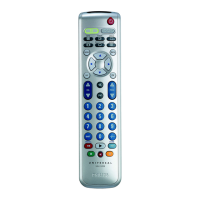
alreadyrespond(s)totheSRP4004before
settingitup(seechapter2.3).Theexample
belowinstructsyouhowtodothisforyour
TV.Youcanrepeatthesamestepsforother
devices(DVDplayer/recorder,Cable/Satellite
boxandVCR)whichyouwanttooperateusing
theSRP4004.
Example:testingtheuniversalremotecontrol
onyourTV:
1 SwitchONyourTVmanuallyorusethe
originalremotecontrolforthis.Tuneto
channel1.
2 Pressthe
deviceselectionkey
toselectTV.
• Thekeylights
up.
• Ifthekeydoesnot
lightup,checkwhetherthebatteries
areproperlyinserted(seechapter2.1).
3 Checkwhether
thekeysthatyou
needforoperating
yourTVare
working.Foran
overviewofthe
keysandtheirfunctionssee
chapter3.1.
• IftheTVrespondsasitshouldtoall
ofthekeycommands,theSRP4004is
readyforuse.
• Ifthedevicedoesnotrespondatallor
nottoallofthekeycommands,followthe
instructionsinchapter2.3.
2.3 Settinguptheuniversalremote
control
Thisisonlynecessaryifyourdevicedoesnot
respondtotheSRP4004.Ifthatisthecase,the
SRP4004doesnotrecognizethebrandand/or
modelofyourdeviceandyouneedtosetup
theremotecontroltodoso.
Theexamplebelowinstructsyouhowtodo
thisforyourTV.Youcanrepeatthesamesteps
forotherdevices(
DVDplayer/recorder,Cable/
SatelliteboxandVCR
)whichyouwantto
operate,usingtheSRP4004.
Theremotecontrolcanbesetuptooperate
any4ofthefollowingdevices:
Devicename Description
TV TraditionalTV,atscreen
TVandprojectionTV,TV
partofTV/VCR,TV/VCR
/DVDandTV/DVD
combos
DVD DVDplayer/recorder
(DVDR),DVD/Hard
DiskDrivecombination
(DVDR-HDD),Blu-Ray
player,HighDenition
DVDplayer(HD-DVD),
DVDpartofTV/DVD,TV
/VCR/DVDandVCR/
DVDcombos
Gettingstarted English









 To Next Page