2.3.2 Improvingkeys
Whencorrectlysetup,theremotecontrol
shouldbeabletooperateallyourdevices.
However,whenusingtheremotecontrolforthe
firsttimeitmightoccurthatsomekeysdonot
yetfunctionasexpected.Inthiscaseyoucan
havetheremotecontrolsearchforalternatives.
Note
Improvingkeysisnotpossiblewhenthecode
wasfoundduringfulldatabasesearch(with
code‘9,9,9,9’).
Duringinitialsetup
1 Makesurethereceivingdeviceisableto
respond.E.g.whenyoutrytorepairthePlay
keyforyourDVDplayer,makesuretoinsert
aDVDintotheDVDplayerotherwisethe
Playkeyisnotabletofunction.
2 Pressthekeythatdoesnotfunction,keepit
pressedandimmediatelyreleaseitwhenthe
deviceresponds.Repeatthisforeverykey
thatdoesnotfunction.
• Ifthekeystilldoesnotfunctionasexpected,
trypressingitagainforalongerperiodof
time.
Afterinitialsetup
1 Makesurethereceivingdeviceisableto
respond.
E.g.whenyoutrytorepairthePlaykeyfor
yourDVDplayer,makesuretoinsertaDVD
intotheDVDplayerotherwisethePlaykey
isnotabletofunction.
2 Selectthedevice
thatyouwishto
operate
(e.g.DVD).
Pressthe device
selectionkeyto
selectDVD.
3 Keepkeys
and
pressed
simultaneouslyfor
5seconds.
• TheredSetup
light lights
up.Theremotecontrolisnowinsetup
mode.
4
Pressandholdthekeythatdoesnot
functionandimmediatelyreleaseitwhen
thedeviceresponds.
• Ifthekeystilldoesnotfunctionasexpected,
trypressingitagainforalongerperiodof
time.
5 Pressthe
deviceselectionkey
twicetosaveyour
settingsandexit
setupmode.
•
Whennokey
ispressedfor5minutesormore,the
remotecontrolwillexitsetupmode,
automaticallysavingallyoursettings.
3Usingtheuniversal
remotecontrol
3.1 Keysandfunctions
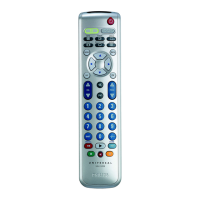
Theillustrationonpage2givesanoverviewof
allkeysontheremotecontrol.Tryoutthekeys
youneedforoperatingyourdevices.
Notes
• Keyshavingthesamefunctionsasthe
keysonyouroriginalremotecontrolmay
havedifferentnamingsontheSRP4004
(e.g.Info/Display).
• Onlyfunctionsthatareavailableonyour
originalremotecontrolcanbeusedfor
operatingyourdeviceswiththeSRP4004.
1
.................................... Setuplight.Lightsupred
whentheremotecontrol
isinsetupmode.
2
...............................selectsavailablesource
inputs(antenna,cable,
etc.).
3
......... deviceselectionkeys.
•selectthedevicetobe
operated.
•lightupwhenaremote
controlcommandis
beingsent.
Usingtheuniversalremotecontrol
2x







 To Next Page