EasyManua.ls Logo

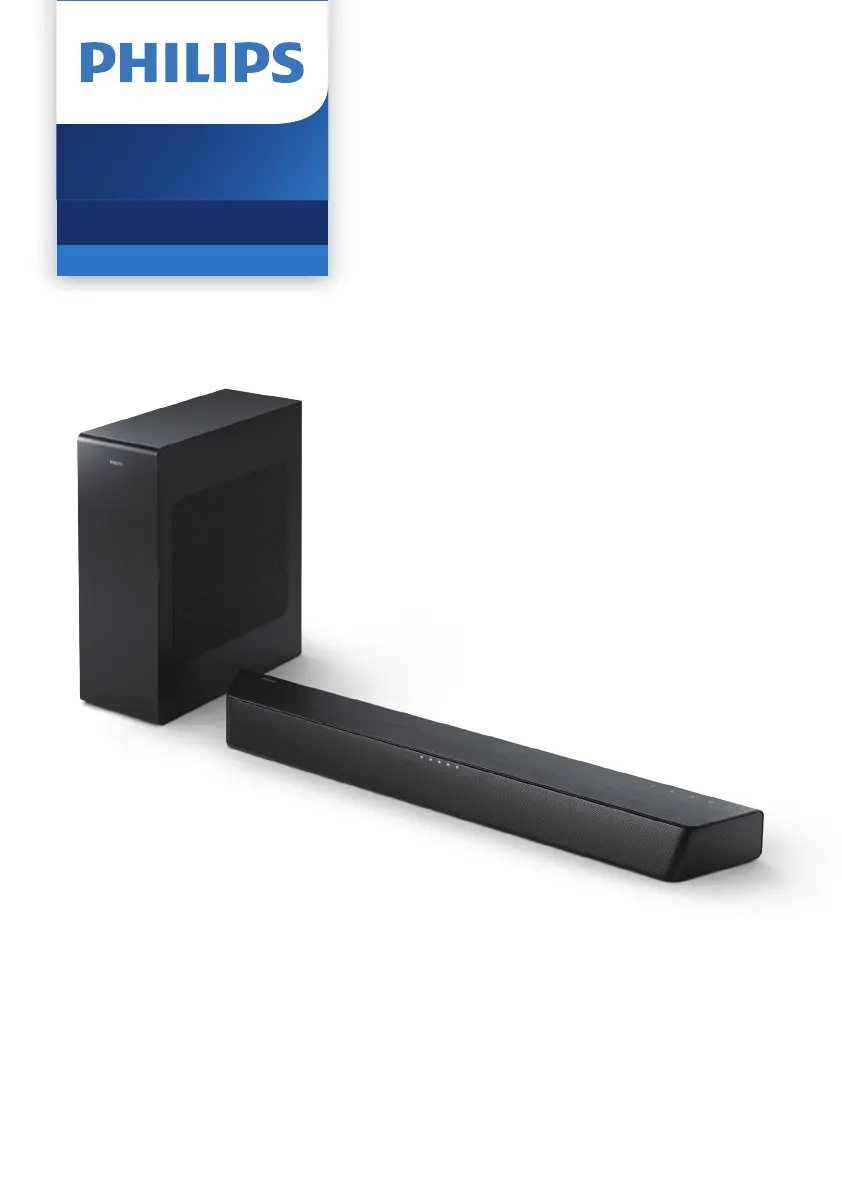
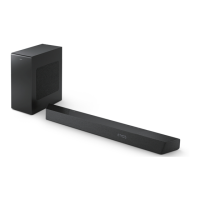
Philips TAB7207/10 - User Manual

Philips TAB7207/10
22 pages
Print Icon
To Next Page IconTo Next Page
Loading...
User manual
Register your product and get support at
www.philips.com/support
TAB7207
7000 Series
Soundbar

Other manuals for Philips TAB7207/10

Questions and Answers

  • B
    Bryan AndersonAug 17, 2025
    What to do if the Philips TAB7207/10 remote control does not work?
    • B
      blackwellrichardAug 17, 2025
      If the remote control for your Philips Speaker System isn't working, try these steps: 1. First, select the correct source before pressing any playback control button. 2. Reduce the distance between the remote control and the unit. 3. Make sure you've inserted the battery with the correct polarities (+/-) as indicated. 4. Try replacing the battery. 5. Aim the remote control directly at the sensor on the front of the unit.
  • P
    paul09Aug 20, 2025
    How to troubleshoot a Philips TAB7207/10 that has no power?
    • T
      Thomas AustinAug 20, 2025
      If your Philips Speaker System has no power, check the following: * Ensure that the AC cord is properly connected. * Verify that there is power at the AC outlet. * Press the power button on the remote control or soundbar to turn the soundbar on.
  • R
    Roger MeyerAug 22, 2025
    Why can't a device connect to my Philips TAB7207/10 Speaker System soundbar?
    • A
      Alexa MorrisAug 22, 2025
      If a device is unable to connect to your Philips soundbar, it could be due to several reasons: * The device might not support the compatible profiles required for the soundbar. * The Bluetooth function of the device might not be enabled (refer to the device's user manual for instructions). * The device might not be correctly connected; ensure proper connection. * The soundbar may already be connected to another Bluetooth device; disconnect the current device and try again.
  • D
    Dawn BaxterAug 26, 2025
    How to fix Philips TAB7207/10 Speaker System when buttons on the main unit do not work?
    • A
      Audrey CampbellAug 26, 2025
      If the buttons on the main unit of your Philips Speaker System are not working, disconnect the system from the power supply for a few minutes, and then connect it again.
  • N
    nicholsoncatherineAug 28, 2025
    Why is there no sound from the wireless subwoofer on my Philips TAB7207/10 Speaker System?
    • A
      Ashley HartAug 28, 2025
      If you're not getting any sound from the wireless subwoofer of your Philips Speaker System, there are several things you can try: * First, manually connect the subwoofer to the main unit. * Increase the volume using the Vol+ button on the remote control or the + button on the soundbar. * Set the TV output to PCM. * Connect directly to your Blu-ray player or other sources, as some TVs may not pass through digital audio. * Confirm that the audio output setting is set to FIXED or STANDARD, not VARIABLE. * If you're using Bluetooth, make sure the volume on your source device is turned up and the device isn't muted. * If the playback freezes and there's no sound in Wi-Fi mode, check your home network connection.
  • J
    jacob83Aug 31, 2025
    What to do if there is no sound from the Philips TAB7207/10 soundbar speaker?
    • J
      Joshua LeachAug 31, 2025
      If there is no sound coming from the soundbar speaker of your Philips Speaker System, try the following: * Connect the audio cable from your soundbar to your TV or other devices. * Select the correct audio input on the remote control. * Ensure that the soundbar is not muted. * You can also try resetting the product to its factory settings.
  • S
    Scott BlackSep 3, 2025
    How to fix distorted sound or echo on Philips TAB7207/10 Speaker System?
    • B
      Brandon KelleySep 3, 2025
      If you are experiencing distorted sound or an echo with your Philips Speaker System, and you are playing audio from your TV through the system, make sure that the TV is muted.
  • F
    faithperezSep 5, 2025
    How to improve poor Bluetooth audio quality on Philips Speaker System?
    • V
      Vickie HansenSep 5, 2025
      If the audio quality from a Bluetooth device connected to your Philips Speaker System is poor, it might be due to poor Bluetooth reception. Try moving the device closer to the soundbar or removing any obstacles between them.
  • D
    David DavisSep 8, 2025
    What to do if I can’t find the Bluetooth name of Philips Speaker System on my Bluetooth device?
    • M
      Maria AllenSep 8, 2025
      If you can't find the Bluetooth name of your Philips Speaker System on your Bluetooth device: * Ensure that the Bluetooth function is activated on your Bluetooth device. * Try re-pairing the unit with your Bluetooth device.
  • C
    Crystal HunterSep 12, 2025
    Why does my Philips soundbar keep turning off?
    • D
      David SmithSep 12, 2025
      If your Philips soundbar turns off, it might be because the external input signal level is too low. Increase the volume level of your external device.

Summary

Important Safety Instructions

Safety Precautions

Covers risks of electric shock, fire, injury, overheating, contamination, and general handling.

Your Soundbar

Main unit Overview

Overview and identification of the main soundbar unit components.

Connectors

Details and locations of all input and output connectors on the soundbar.

Remote control

Overview of the remote control buttons and their functions.

Connect

Pair up with the subwoofer

Steps for automatic and manual pairing of the wireless subwoofer.

Use your soundbar

Select source

How to select the desired audio input source for the soundbar.

Bluetooth operation

Guide to connecting and playing audio via Bluetooth.

USB operation

How to play audio files from a USB storage device.

AUX; Optical; HDMI ARC operation

Operating the soundbar with TV or audio devices via AUX, Optical, or HDMI ARC.

Troubleshooting

Sound issues

Troubleshooting no sound from the soundbar or subwoofer.

Bluetooth connection issues

Resolving problems with connecting Bluetooth devices.

Philips TAB7207/10 Specifications

General IconGeneral
TypeSoundbar
ModelTAB7207/10
BrandPhilips
Audio output channels2.1 channels
SubwooferYes
Wireless subwooferYes
BluetoothYes
HDMI ARCYes
HDMI ports quantity1
USB PlaybackYes
Dimensions (W x H x D)900 x 70 x 85 mm
Battery TypeNot applicable
Battery LifeNot applicable
Charging TimeNot applicable
Frequency Response40 Hz - 20 kHz
Water ResistanceNo
ColorBlack
Output Power160 W

Related product manuals