EasyManua.ls Logo

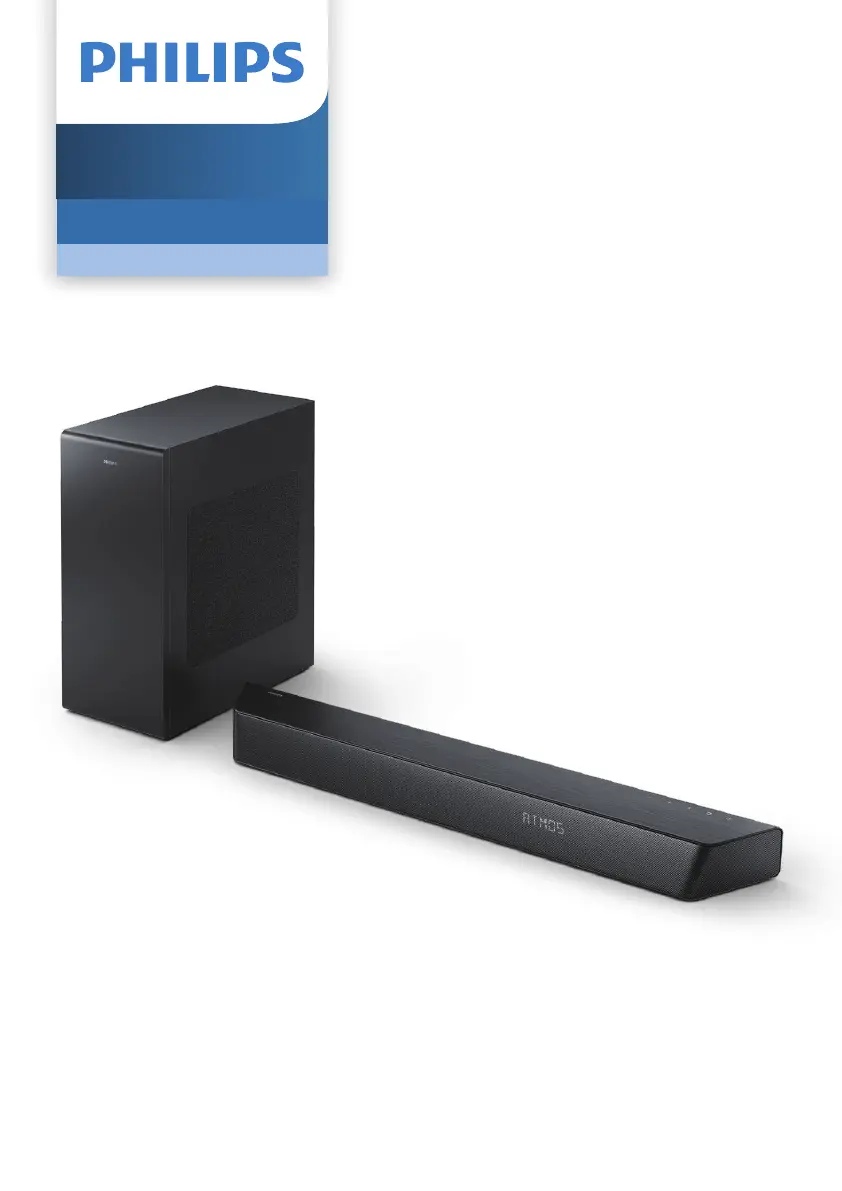
Philips TAB7807 - User Manual

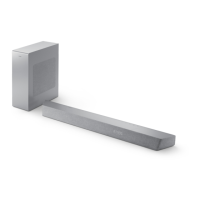
Philips TAB7807
23 pages
Print Icon
To Next Page IconTo Next Page
Loading...
User manual
Register your product and get support at
www.philips.com/support
TAB7807
7000 Series
Soundbar

Questions and Answers

  • K
    Kaylee SmithAug 14, 2025
    Why is there no sound from my Philips Speaker System soundbar?
    • D
      Daniel SandersAug 14, 2025
      If you're not getting any sound from your Philips Speaker System soundbar, ensure the audio cable is connected from the soundbar to your TV or other devices. Also, select the correct audio input on the remote control and make sure that the soundbar is not muted.
  • J
    Jason MooreAug 17, 2025
    Why is there no sound from the wireless subwoofer of my Philips TAB7807?
    • E
      Emily EvansAug 17, 2025
      If you're experiencing no sound from the wireless subwoofer of your Philips Speaker System, try the following: * Manually connect the subwoofer to the main unit. * Increase the volume using the + (Volume Up) button on the remote or soundbar. * Set the TV output to PCM. * Connect directly to your Blu-ray or other sources. * Ensure your TV's audio setting is set to FIXED or STANDARD, not VARIABLE. * If using Bluetooth, increase the volume on your source device and ensure it is not muted. * If in Wi-Fi mode, check your home network connection.
  • M
    Maria WillisAug 21, 2025
    What to do if my Philips TAB7807 Speaker System remote control does not work?
    • V
      Valerie WhiteAug 21, 2025
      If your Philips Speaker System remote control isn't working, try these steps: reduce the distance between the remote and the unit, ensure the batteries are correctly inserted with the proper polarities (+/-), replace the batteries, and aim the remote directly at the sensor on the front of the unit.
  • S
    Stephen PotterAug 25, 2025
    What to do if my Philips TAB7807 Speaker System is making distorted sound or echo?
    • L
      Linda MartinAug 25, 2025
      If you are experiencing distorted sound or an echo with your Philips Speaker System, and you're playing audio from your TV through the system, ensure that the TV is muted.
  • D
    Dr. Derek NicholsAug 27, 2025
    How to fix a Philips TAB7807 Speaker System when a device cannot connect with the soundbar?
    • K
      Kimberly JimenezAug 27, 2025
      If a device cannot connect to your Philips Speaker System soundbar, it might be due to the device not supporting the soundbar, the Bluetooth function not being enabled on the device, incorrect connection, or the soundbar already being connected to another Bluetooth device.
  • M
    Monica WatsonAug 31, 2025
    What to do if the buttons on my Philips TAB7807 Speaker System do not work?
    • A
      Andrea ShawAug 31, 2025
      If the buttons on the main unit of your Philips Speaker System do not work, disconnect it from the power supply for a few minutes, then connect it again.
  • R
    Robert Jones MDSep 3, 2025
    What to do if there is no power in Philips TAB7807?
    • D
      Donna PerkinsSep 3, 2025
      If your Philips Speaker System has no power, verify that the AC cord is properly connected and that there is power at the AC outlet. You can also press the power button on the remote control or soundbar to turn the soundbar on.
  • E
    ewilcoxSep 6, 2025
    How to improve the audio quality from a Bluetooth device connected to Philips Speaker System?
    • J
      Justin GrahamSep 6, 2025
      If the audio quality from a Bluetooth device connected to your Philips Speaker System is poor, the Bluetooth reception might be weak. Try moving the device closer to the soundbar or removing any obstacles between them. Ensure the Bluetooth function is activated on your device and re-pair the unit with your Bluetooth device.
  • C
    Colleen GrantSep 10, 2025
    What to do if the subwoofer is idle on my Philips TAB7807?
    • D
      David HunterSep 10, 2025
      If the subwoofer is idle or the indicator light is off on your Philips Speaker System, unplug the power cord from the mains for a few minutes to reset the subwoofer.

Summary

Important Safety Instructions

Electrical Shock and Fire Hazards

Details precautions to prevent electric shock or fire, such as disconnecting power and avoiding liquids.

Short Circuit and Fire Prevention

Advises on checking power voltage and avoiding connecting to incorrect power outlets.

Connecting Your Soundbar

Connecting via HDMI (ARC;eARC)

Guides on connecting the soundbar to a TV using HDMI ARC/eARC for audio return.

Connecting to Power Supply

Instructions for connecting the soundbar and subwoofer to the mains power outlet.

Automatic Subwoofer Pairing

Steps to automatically pair the soundbar and subwoofer by powering them on.

Using Your Soundbar

Powering the Soundbar On and Off

How to switch the soundbar between standby and active modes, and turn it off completely.

Selecting Input Modes

Guides on switching between different audio input sources like USB, HDMI, Optical, and Bluetooth.

Adjusting System Volume

Instructions for increasing, decreasing, or muting the overall system volume.

Performing a Factory Reset

Procedure to restore the soundbar to its default factory settings.

Playing Audio via Bluetooth

Step-by-step guide to connect a Bluetooth device and play audio through the soundbar.

Playing Audio via USB

Guide on connecting a USB storage device and playing audio files directly from it.

Troubleshooting Common Issues

Troubleshooting Power and Main Unit Issues

Solutions for problems with unresponsive main unit buttons and no power.

Sound and Synchronization Problems

Resolving distorted sound, echo, and audio/video sync issues.

No Sound from Wireless Subwoofer

Steps to troubleshoot and resolve issues where the wireless subwoofer produces no sound.

Philips TAB7807 Specifications

General IconGeneral
Subwoofer typeActive subwoofer
Subwoofer includedYes
Subwoofer connectivityWireless
Subwoofer frequency range35 - 140 Hz
Audio decodersDolby Atmos, Dolby Digital, Dolby Digital Plus, Dolby TrueHD
RMS rated power650 W
Audio output channels3.1 channels
Product colorBlack
Audio formats supportedLPCM, SBC
Number of woofer drivers1
Soundbar speaker RMS power620 W
Woofer diameter (imperial)8 \
Number of full-range drivers2
Total Harmonic Distortion (THD)10 %
Bluetooth profilesA2DP, AVRCP
Soundbar impedance8 Ω
Soundbar frequency range150 - 20000 Hz
Wi-FiNo
HDCP version1.4/2.3
Bluetooth version5.1
Connectivity technologyWired & Wireless
EasyLinkHDMI-CEC
Type of shelf-placementLaying
Width (cm) outer carton59.5 cm
Height (cm) outer carton25 cm
Length (cm) outer carton99 cm
Tare weight outer carton3.9 kg
Net weight of outer carton15.6 kg
Gross weight of outer carton19.5 kg
Cables includedAC
Number of products included1 pc(s)
Package depth450 mm
Package width970 mm
Package height225 mm
Package weight9000 g
AC input voltage100 - 240 V
AC input frequency50 - 60 Hz
Power consumption (standby)0.5 W
Weight and Dimensions IconWeight and Dimensions
Depth106 mm
Width800 mm
Height65 mm
Soundbar weight2500 g
Subwoofer depth309 mm
Subwoofer width190 mm
Subwoofer height410 mm
Subwoofer weight6000 g

Related product manuals