Electrical Alignments
EN 29TE3.1E CA 8.
8.2.5 Tuner/IF
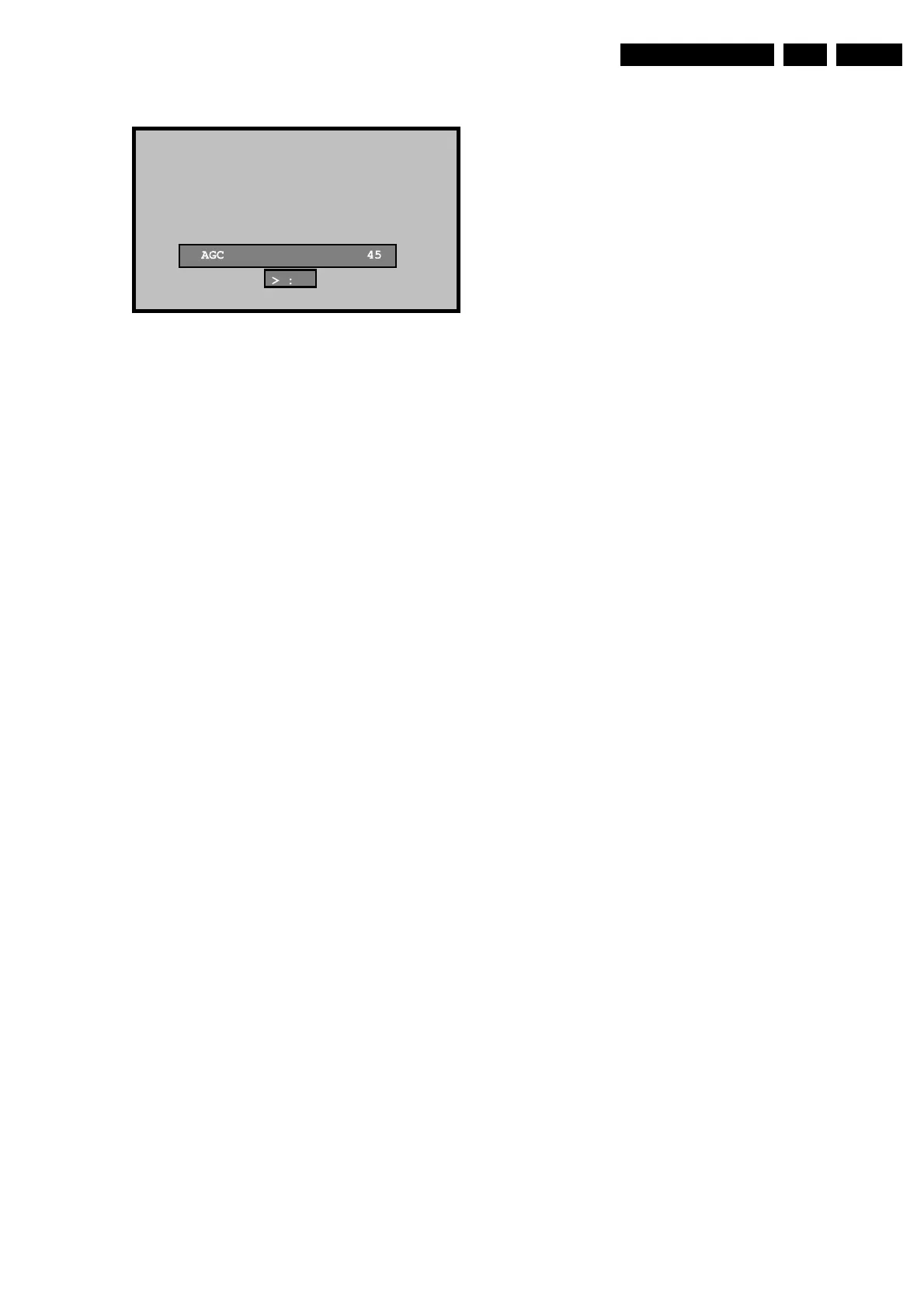
Figure 8-5 Tuner alignment menu
AGC adjustment
Select AGC, and adjust the settings until the ‘:’ indicator
(displayed as >:< ) turns into red by pressing < and > on the
remote control.
PIF adjustment for BG/DK/L systems:
1. Apply a 38.9 MHz PAL BG signal.
2. Enter the Service Mode.
3. Select TUNE IF.
4. Choose the PIF C and PIF F items, and adjust the settings
until the ‘:’ indicator (displayed as >:< ) turns into red by
pressing < and > on the remote control.
• PIF C (default value = 0)
• PIF F (default value = 0)
PIF adjustment for L’ system:
1. Apply a 33.9 MHz SECAM L’ signal.
2. Enter the Service Mode.
3. Select TUNE IF.
4. Choose the PIF COARSE L’ and PIF FINE L’ items, and
adjust the settings until the ‘:’ indicator (displayed as >:< )
turns into red by pressing < and > on the remote control.
• PIF CL’ (default value = 0)
• PIF FL’ (default value = 0
F_15850_010.eps
160805
<


 To Next Page