Instructions for Use | About Trilogy Evo Universal
Parts of the User Interface 14
Parts of the User Interface
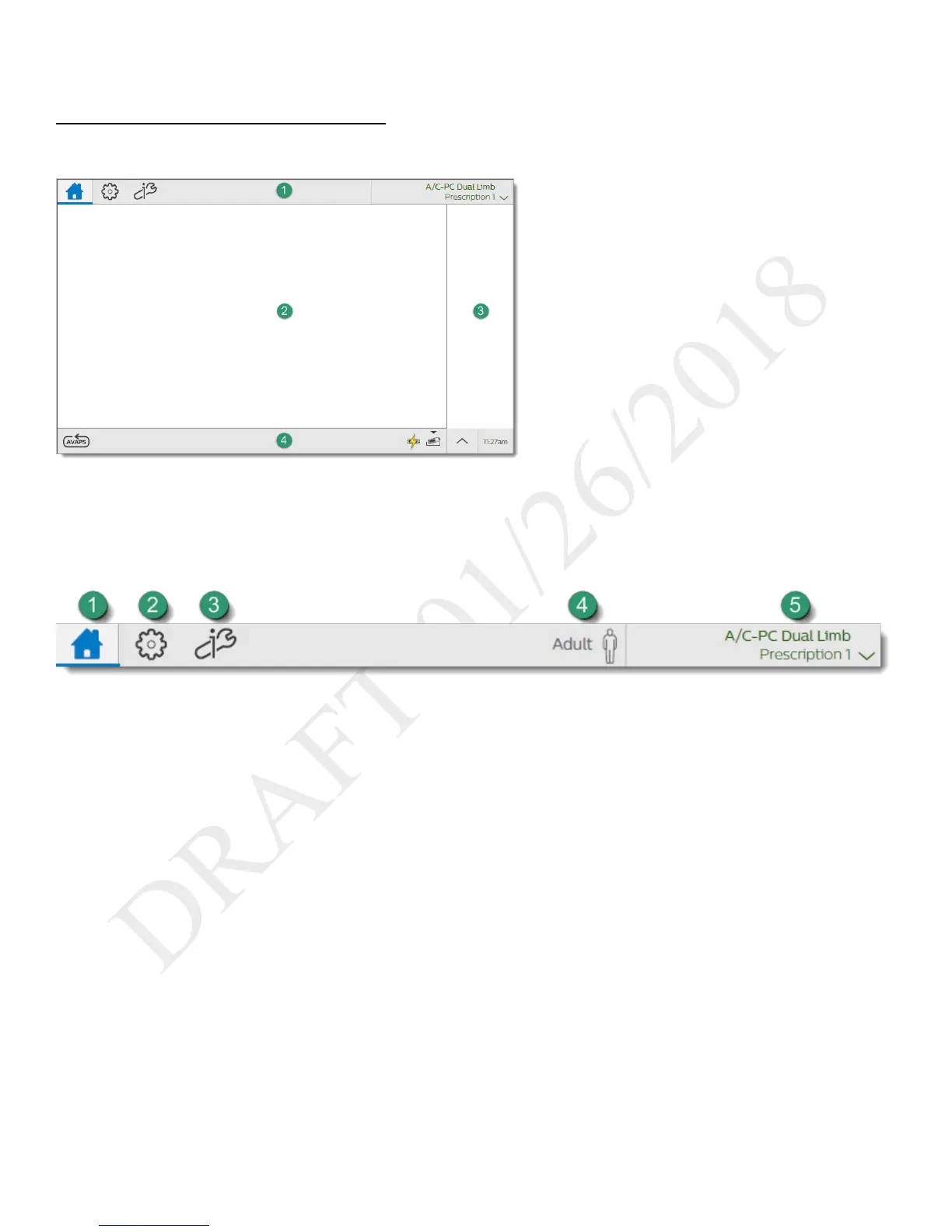
Standard Screen Elements
1. Menu bar
2. Main window
3. Monitored parameters pane
4. Status bar
Menu Bar
Use the menu bar to navigate, manage alarms, and see the active prescription at a glance.
1. Home: view the main window
2. Prescriptions: manage patient prescriptions
3. Options:
- Device Settings
- Calibration
- Data Transfer
- Information
- Alarm & Event Log
4. Patient type indicator



 To Next Page