Instructions for Use | Alarms and System Messages
Alarm and Event Log 64
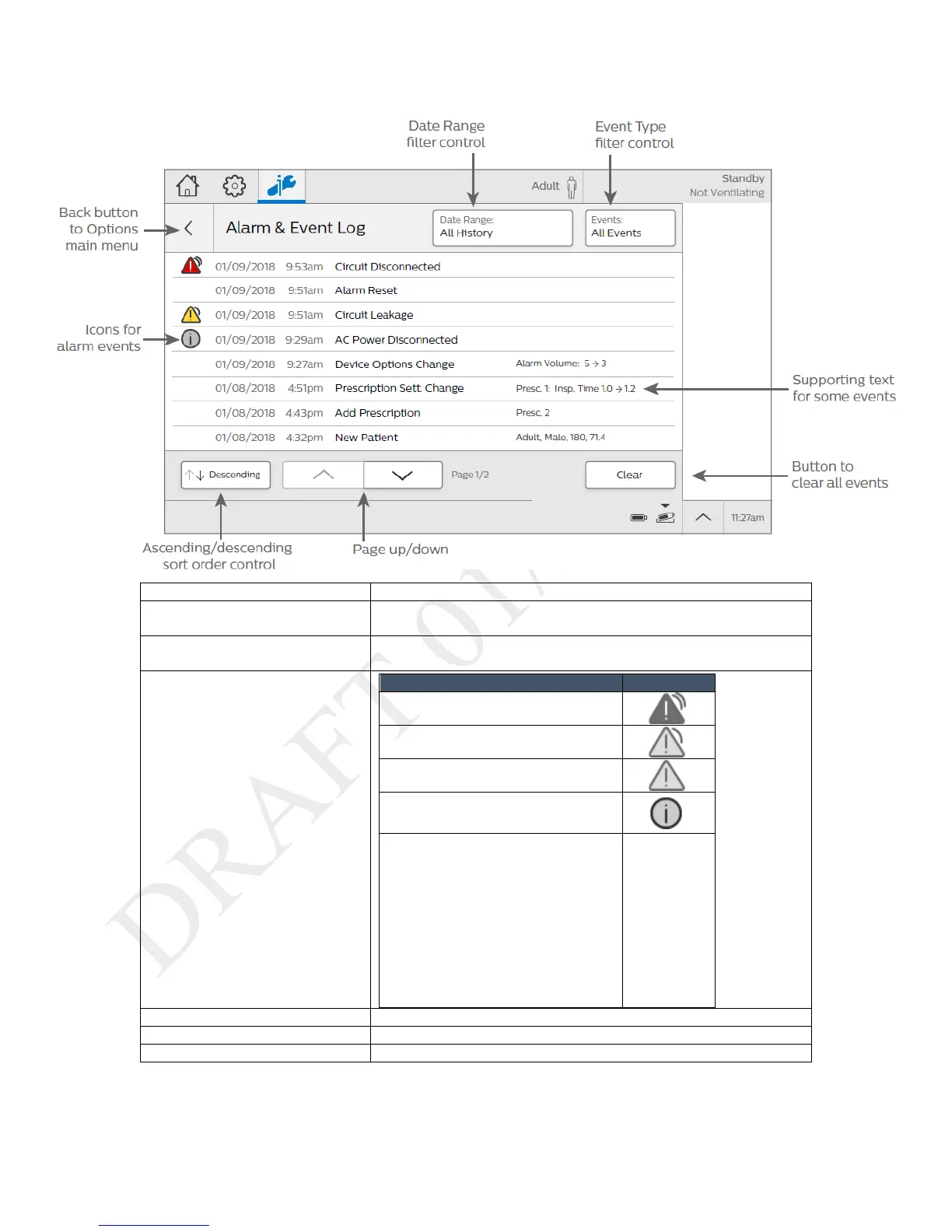
Parts of the Alarm and Event Log
Tap to filter events by date. On the Select Date Range dialog box, select
the date range and then tap Accept.
Tap to filter events so only alarms appear in the list.
Tap again to view all event types.
• Power or battery
• Physical button press
• Calibration event
• Change to therapy setting, alarm
setting, or device option
• Data transfers
4. Ascending/Descending button
Sort the list by date and time.
Tap to scroll through the log.
Clear all events from the screen.



 To Next Page