VARI❋LITE® - VLX™ WASH LUMINAIRE USER’S MANUAL
70 15 April 2010 02.9690.0001 A
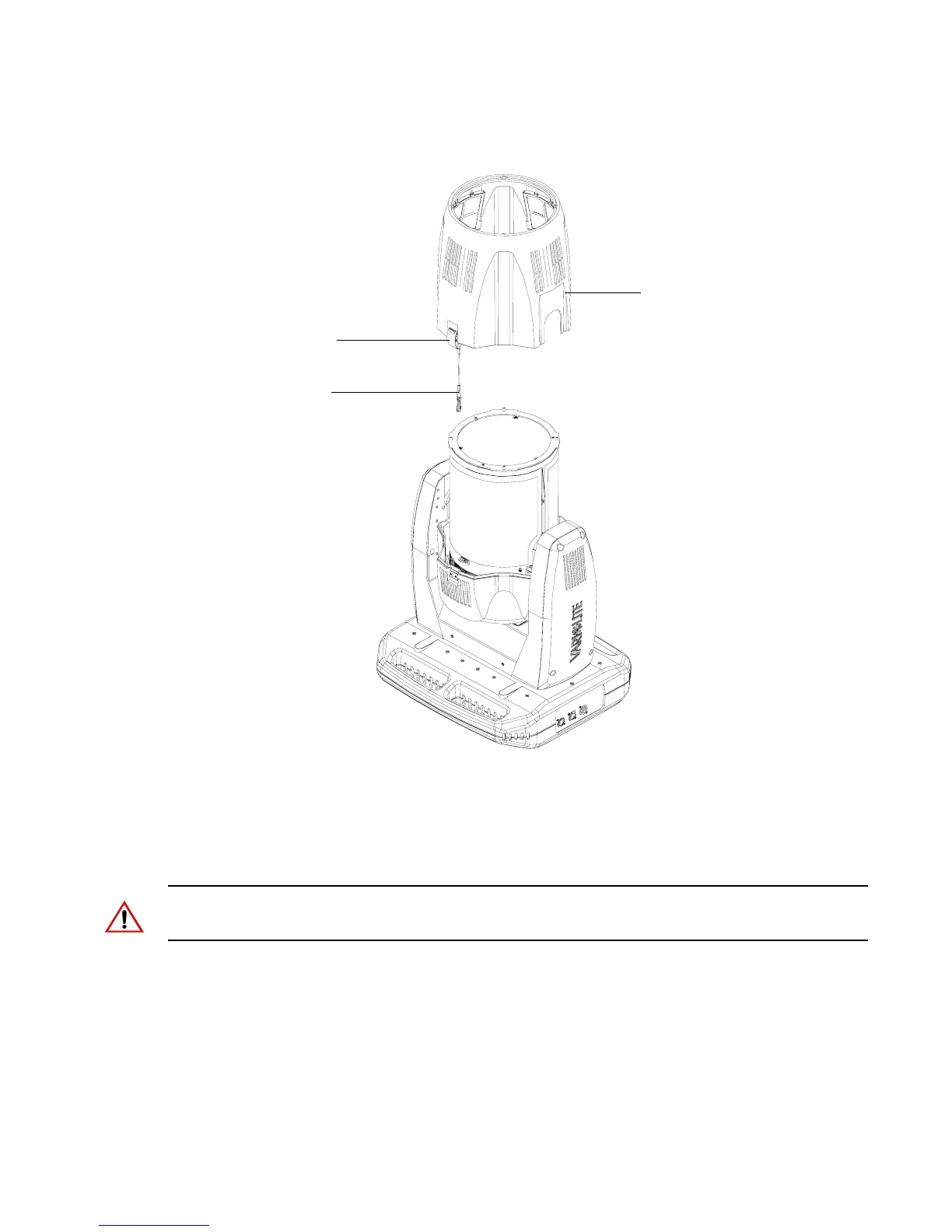
Step 4. Gently slide front head cover over optic assembly and set aside.
Figure A-11: Front Head Cover Removal
Step 5. Disengage tilt lock and rotate luminaire head 90-degrees and re-engage tilt lock (optional).
Step 6. At inside of rear head cover, remove eight #6 x 1/4" PPZ Plastic Threading Screws and
remove rear head cover and set aside.
Note: At reinstalling rear head cover, be careful not to over tighten plastic threading screws (plastic
mounting holes may crack).
Front Cover Latch
Front Head Cover
(one on each side of cover)
Front Head Cover
Safety Tether









 To Next Page