VARI❋LITE® - VLX™ WASH LUMINAIRE USER’S MANUAL
22 15 April 2010 02.9690.0001 A
DMX Operation
Channel Mapping
These tables assume a DMX start address of 1. When a different starting address is used, this address
becomes channel 1 function and other functions follow in sequence.
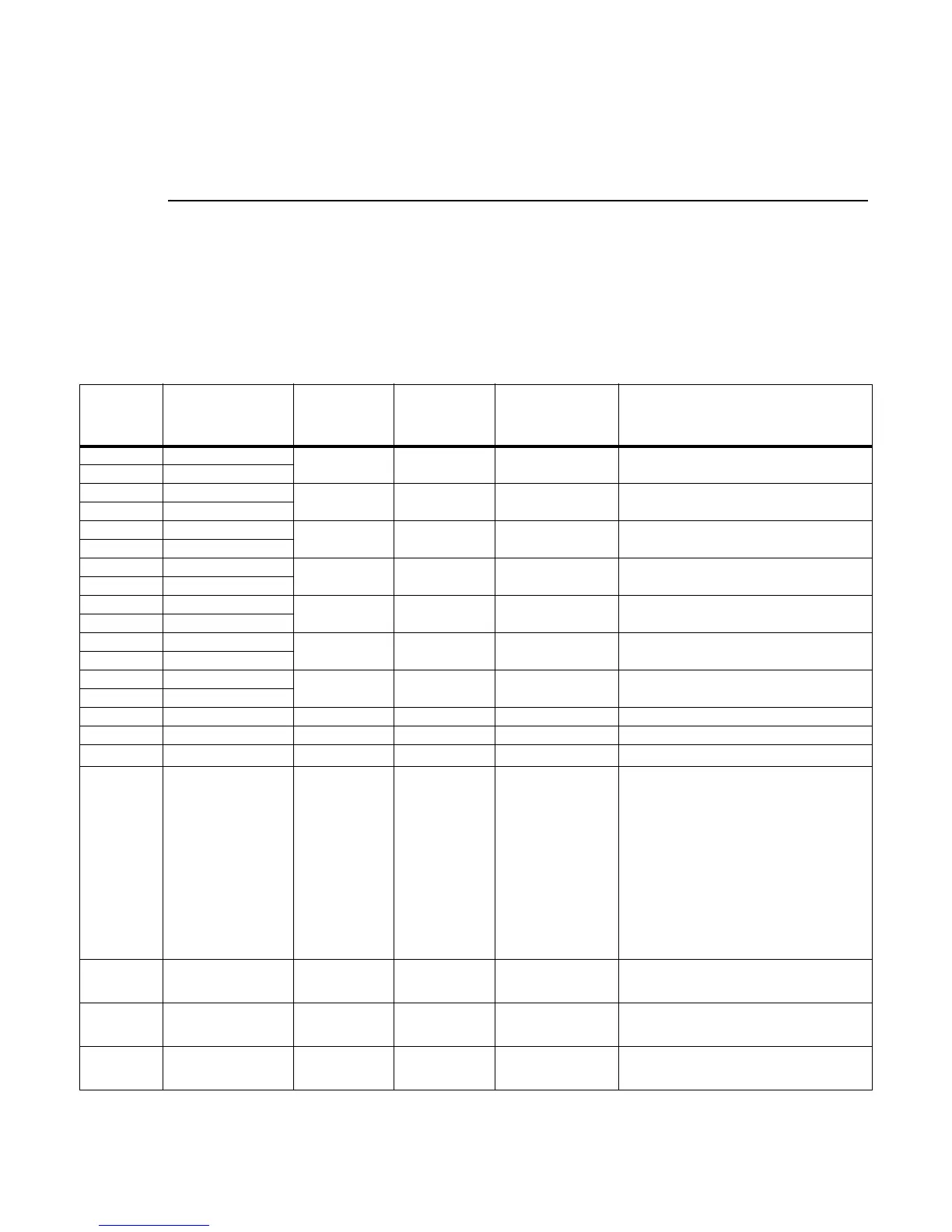
Table 3-1: VLX™ Wash Luminaire Mapping Mode 1
DMX
Channel
Parameter Range DMX Range%
Default - These
values are recom-
mended console
default values
Description
1 Intensity - High
0 - 65535 0 - 100% 0 16-bit control for Intensity of LED settings.
2 Intensity - Low
3 Pan - High Byte
0 - 65535 0 - 100% 32768
16-bit control of Pan - 540
o
of movement.
4 Pan - Low Byte
5 Tilt - High Byte
0 - 65535 0 - 100% 32768
16-bit control of Tilt - 270
o
of movement.
6 Tilt - Low Byte
7 Red - High Byte
0 - 65535 0 - 100% 0 16-bit control of Red LEDs from 0 to full.
8 Red - Low Byte
9 Green - High Byte
0 - 65535 0 - 100% 0 16-bit control of Green LEDs from 0 to full.
10 Green - Low Byte
11 Blue - High Byte
0 - 65535 0 - 100% 0 16-bit control of Blue LEDs from 0 to full.
12 Blue - Low Byte
13 White - High Byte
0 - 65535 0 - 100% 0 16-bit control of White LEDs from 0 to full.
14 White - Low Byte
15 Unused N/A N/A N/A For Future Use
16 Unused N/A N/A N/A For Future Use
17 Beam Spreader 0 - 255 0 - 100% 0
Controls beam angle from 23
o
to 58
o
(DMX 255)
18 Strobe 0 - 255 0 - 100% 0
Controls strobe operations as follows:
Open = DMX 0 - 2
Closed = DMX 3 - 5
Slow Rand = DMX 6 - 7
Med Rand = DMX 8 - 10
Fast Rand = DMX 11 - 12
Strobe Range = DMX 13 - 127 (fastest)
Pulse + Slow Rand = DMX 128 - 129
Pulse + Med Rand = DMX 130 - 131
Pulse + Fast Rand = DMX 132 - 133
Pulse + Range = DMX 134 - 191
Pulse - Slow Rand = DMX 192 - 193
Pulse - Med Rand = DMX 194 - 195
Pulse - Fast Rand = DMX 196 - 197
Pulse - Range = DMX 198 - 255
19 Intensity Time 0 - 255 0 - 100% 255
Allows for luminaire timing of intensity. Profile
should default to DMX 255 for smoothest con-
sole fade times.
20 Focus Time 0 - 255 0 - 100% 255
Allows for luminaire timing of pan and tilt. Profile
should default to DMX 255 for smoothest con-
sole fade times.
21 Color Time 0 - 255 0 - 100% 255
Allows for luminaire timing of color mixing. Profile
should default to DMX 255 for smoothest con-
sole fade times.
VLX™ Wash Luminaire mapping continued on the next page.









 To Next Page