Manual TV channel search
In certain cases the’Automatic TV channel search’may not be
able to find all ofthe TV channels (e.g. coded TV channels).In
that case, use thismanual method to set thechannels.
DWhen you search for TV channelsmanually, you can
choose between the indicationfor ’channel’ or
’frequency’. Pleaseread the next paragraph
’Channel number or frequencydisplay’.
a Switch on the TV set.If required, selectthe programme
number for the videorecorder.
b Press the MENU button on the remotecontrol. The main
menu will appear.
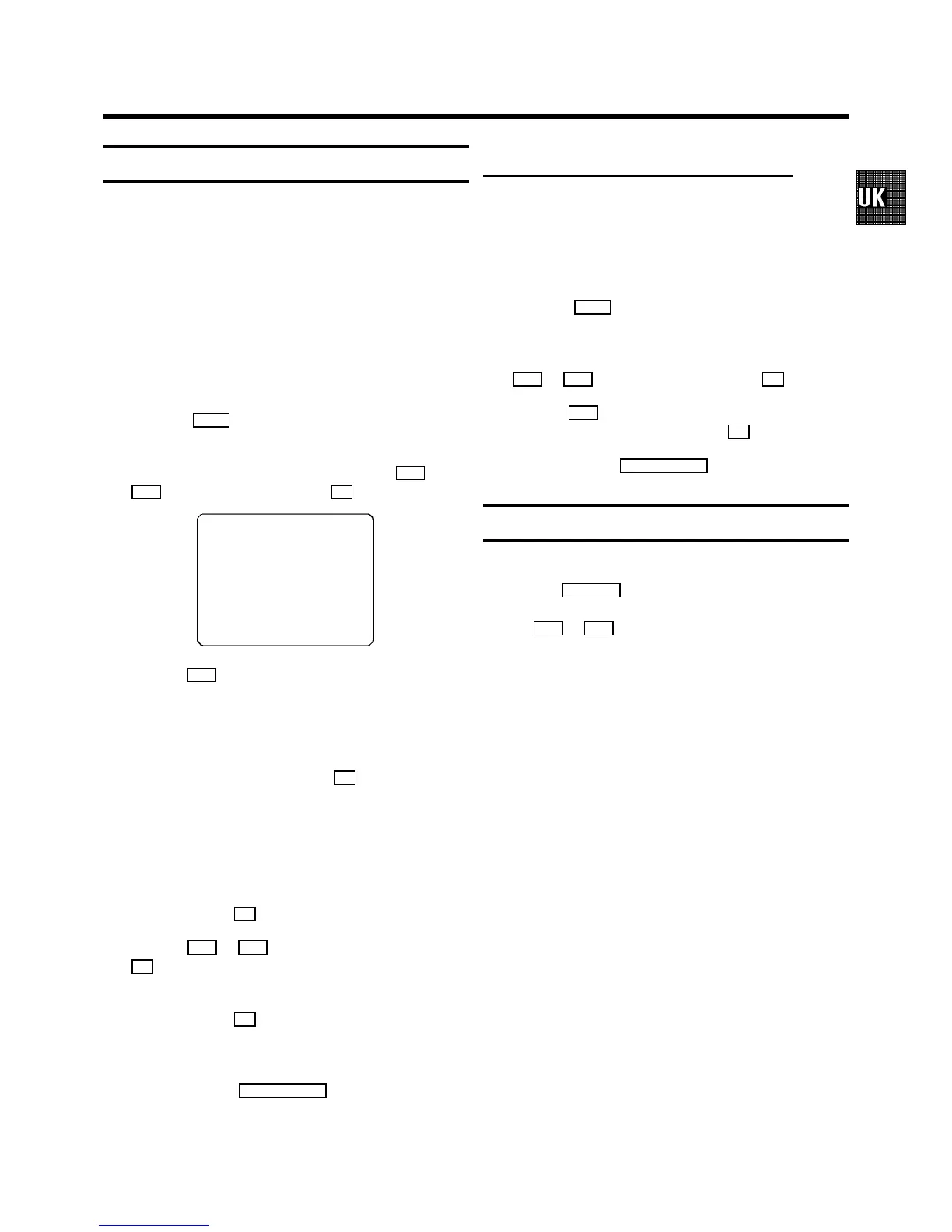
c Select the line ’MANUAL SEARCH’ withthe Pq or
P r button and confirm withthe OK button.
CH 26 P01
------------------------
SEARCH g+ 0-9 OK
d Hold the P q button until you have foundthe right TV
channel. A changing channel number orfrequency will
appear on the screen.
DIf you know the frequencyor channel number of the
desired TV channel, you canenter the information in
line with the numberbuttons 0-9 on the remote
control.
DTo enter a special/hyperband channel, youmust
enter a ’9’ beforethe first channel digit.The
indication changes from’CH’ to ’CA’. For example,
for special channel ’S30’, enter ’9 30’.
e Confirm with the OK button.
f With the P q or P r button or with the numberbuttons
0-9 , select the programme number youwant to give to
this TV channel, forinstance, ’P01’.
g Confirm with the OK button.
If you want to allocatemore TV channels, repeatsteps
d through g .
h To end, press the TV/STANDBY m button.
Channel number or frequency display
You can switch between thedisplay for ’channel number’or
’frequency’ for manualchannel search.
a Switch on the TV set.If required, selectthe programme
number for the videorecorder.
b Press the MENU button on the remotecontrol. The main
menu will appear.
c Select the line ’CHANNEL/FREQUENCY’ withthe
P r or P q button and confirm with the OK button.
d With the P q button, select ’CHANNEL’or
’FREQUENCY’ and confirm withthe OK button.
e To end, press the TV/STANDBY m button.
Satellite receiver
You can receive channels fromthe satellite receivervia the
scart socket EXT.2 AV 2 .
To do this, selectthe channel number ’E2’ by pressingthe
buttons P q or P r . You will have to selectthe channels to
be received by the satellitereceiver on the receiver itself.
7


 To Next Page