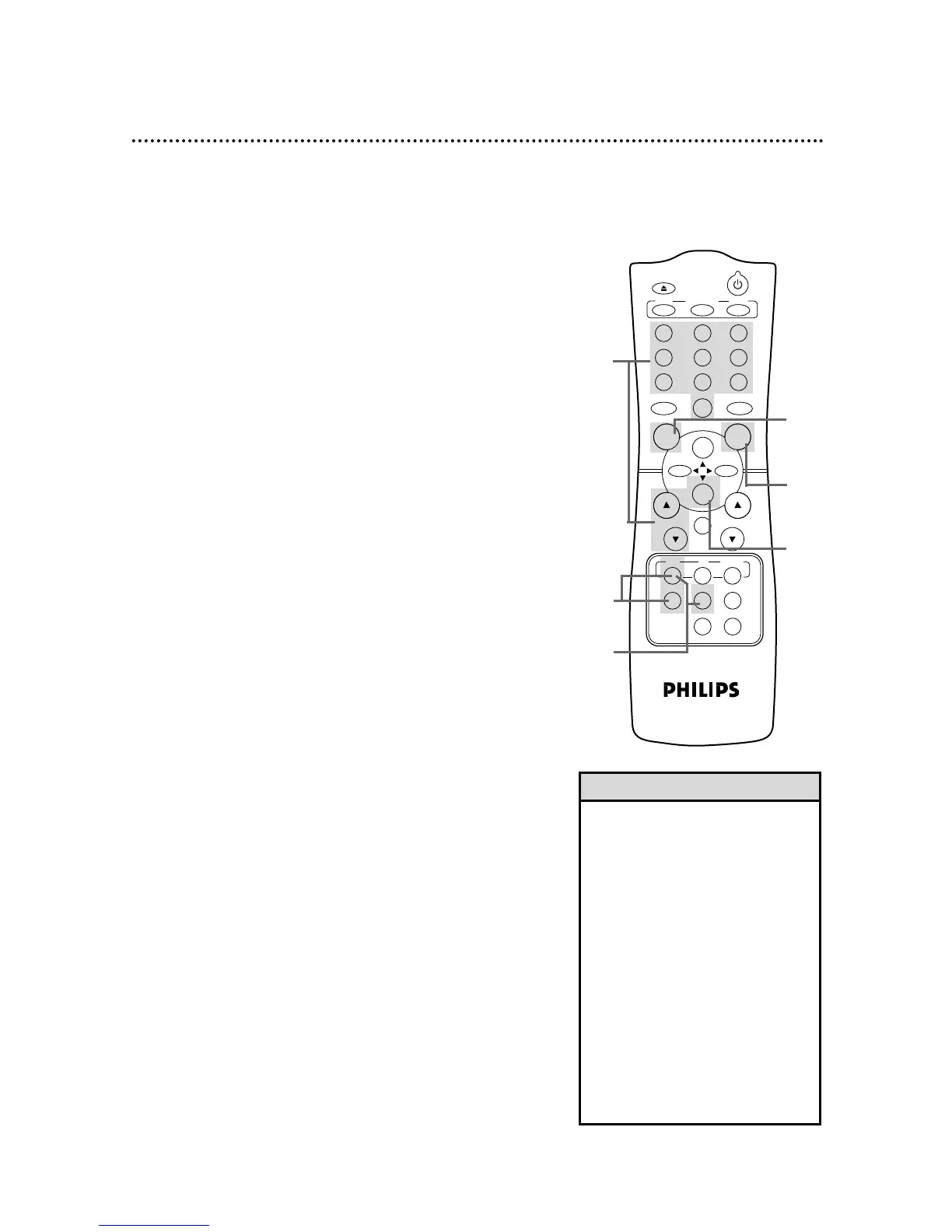
Read and follow the steps below to record a television program.
1
Turn on the TV and set it to channel 3 or 4, whichever
channel the CH3/CH4 switch on the back of the VCRis set to.
Recording 27
2
Insert a tape with its record tab intact in the VCR.
If playback begins, press the VCR button, then press the STOP/p
button to stop the tape.
3
If the VCR light appears on the display panel, go to step 4. If the
VCR light does not appear, press the VCR button, then
press the VCR/TV button once.
• If you press the REC(ord)/OTR but-
ton when there is not a tape in the
VCR, NOCASSETTE will flash on
the screen.
• If you press the REC(ord)/OTR but-
ton while a tape without a record
tab is in the VCR, the VCR will eject
the tape and PROTECTEDCAS-
SETTECANNOT RECORD will flash
on the screen.
• Other recording options are on
pages 28-34.
• You can change the tape speed
during a recording, but some distor-
tion will appear on the tape.
• The VCR will record in a preset vol-
ume.
Helpful Hints
4
Press the VCR button, then press the SPEED button
repeatedly until the desired tape speed appears briefly on
the screen. (Details about tape speed are on page 32.)
5
Use the CH(annel) o/p buttons or the Number buttons
to select the channel you want to record.
6
Press the REC(ord)/OTR button once to start recording.
The REC(ord) light will appear on the VCR display panel.
7
To pause the recording, press the PAUSE/STILL button
once. The REC(ord) light will flash. To resume recording,
press the REC(ord)/OTR button or press the
PAUSE/STILL button again. The REC(ord) light will come on
again.
8
To stop recording, press the STOP/p button.
1
Turn on the TV.
2
Insert a tape in the VCR.
7
4
6
8
5
3
CH. VOL.



 To Next Page