• The MEMORY button does not
function if REPEAT PLAY is ON.
Details are on page 35.
• To erase a real-time counter memo-
ry, press the MEMORY button until
the M disappears from the screen.
• You may only set the real-time
counter to zero at one location at a
time. Setting the real-time counter
to zero at a second location will
erase the previous real-time counter
to zero setting.
Helpful Hints
STOP 1:08PM
TV STEREO CH10
SLP 1 : 23 : 45 HIFI
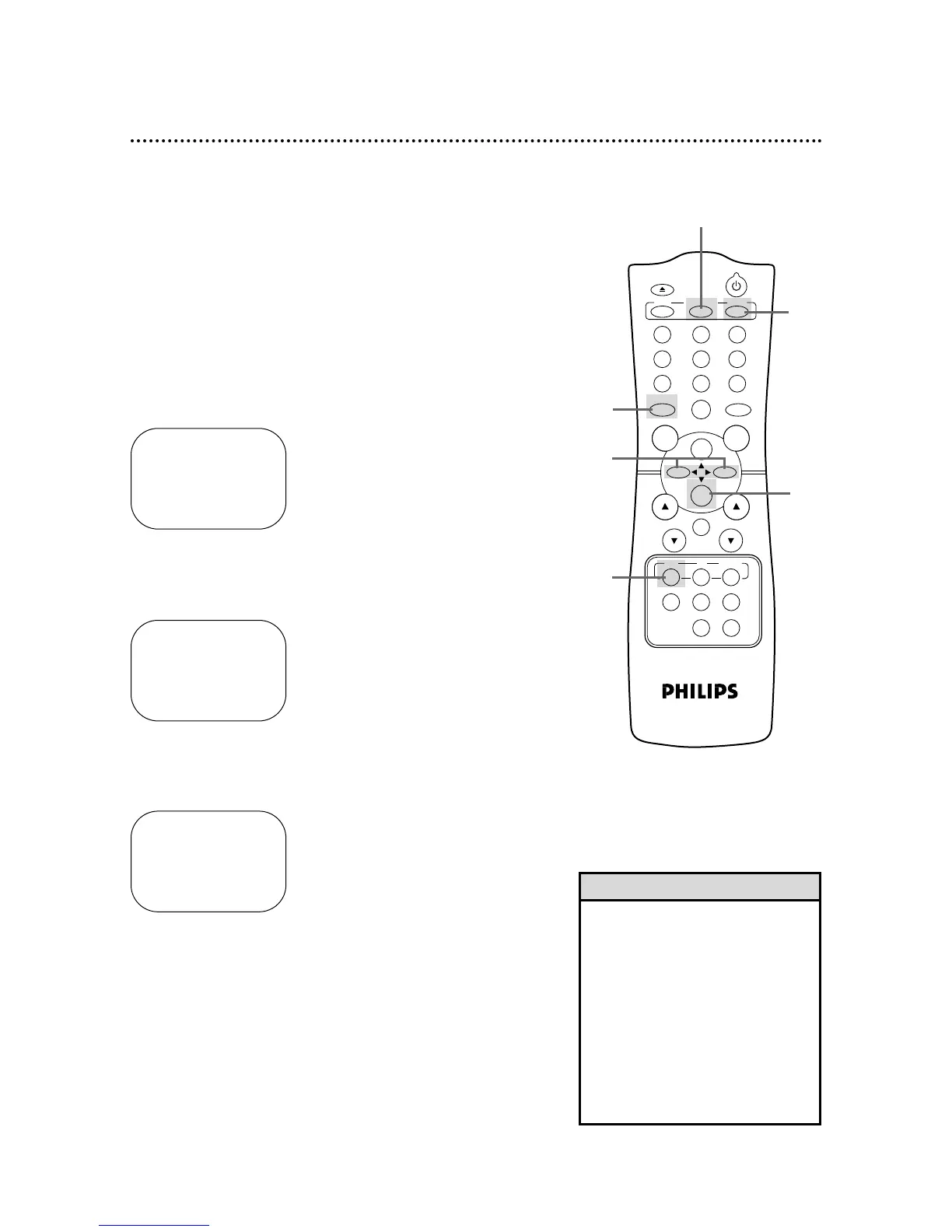
Follow the steps below to reset the real-time counter to zero at a
tape location you want to refer to later.
2
Play, fast forward, or rewind a tape to the location that
you would like to refer to later. Press the STOP/p button
to stop the tape.
3
Press the STATUS/EXIT button to see the status display.
4
While the status display is on the screen, press the
CLEAR button to reset the real-time counter to zero.
STOP 1:08 PM
TV STEREO CH10
SLP 0 : 00 : 00 HIFI
5
While the real-time counter is on the screen, press the
MEMORY button so that M appears beside the counter.
STOP 1:08 PM
TV STEREO CH10
SLP M 0 : 00 : 00 HIFI
6
To go to a tape location where the real-time counter was
reset to zero, press the REW(ind)/{ button or the
F.FWD/B button when playback is stopped.
When the tape reaches the point at which the counter was set to
zero, the tape will stop.
Press the PLAY/o button to watch the tape.
36 Real-Time Counter Memory
3
4
5
6
2
CH. VOL.



 To Next Page