6
Multi-Channel Television Sound System (cont’d) 41
1
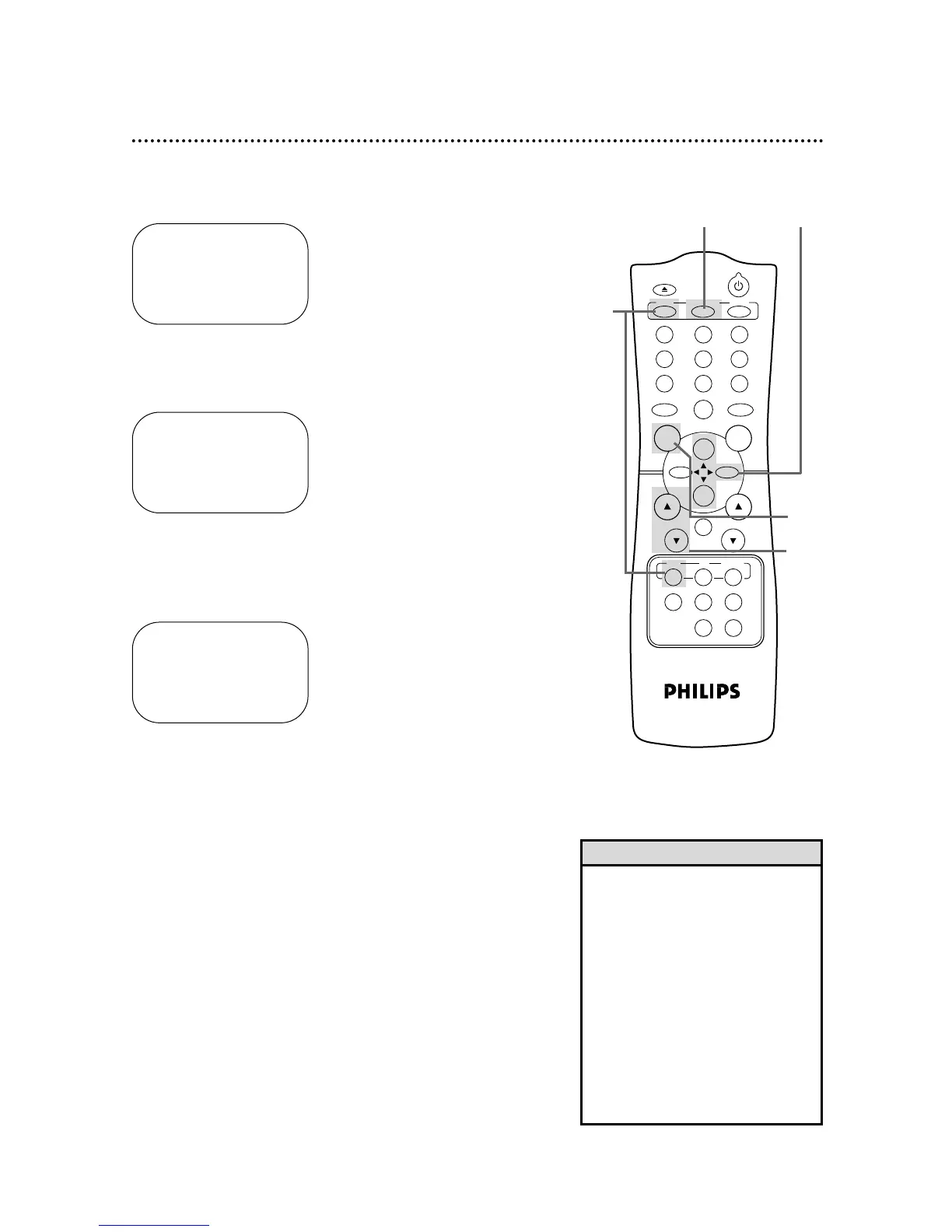
Press the VCR button, then press the MENU button.
2
Press the PLAY/o button or the STOP/p button to select
TUNER SET UP, then press the F.FWD/B button.
3
Press the PLAY/o button or the STOP/p button to select
TV STEREO or 2ND AUDIO. Then, press the F.FWD/B
button. ON will appear to the right of your selection.
4
Press the STATUS/EXIT button.
5
To record, select the channel to be recorded using the
CH(annel) o/p buttons, then go to step 6.
6
Press the REC(ord)/OTR button to start recording.
SELECT op CHOOSE B
→ AUTO PROGRAMMING
ADD/DELETE CH
CH MEMORY REVIEW
TV STEREO ON
2ND AUDIO
TO END PUSH EXIT
SELECT op CHOOSE B
AUTO PROGRAMMING
ADD/DELETE CH
CH MEMORY REVIEW
TV STEREO
→ 2ND AUDIO ON
TO END PUSH EXIT
• You can only receive and record in
stereo or second audio programs
that are broadcast in stereo or sec-
ond audio. You can only play in
stereo or second audio tapes that
were recorded in stereo or second
audio. Please see page 40 to deter-
mine if the program you want to
watch/record is being broadcast in
stereo or second audio.
• If you select second audio when
second audio is not available, the
VCR will record normal audio.
Helpful Hints
1
2-34
5
CH. VOL.



 To Next Page