Time Search 37
Follow the steps below to program the VCR to search forward or
backward on a tape a specific length of time. There must be a tape
in the VCR.
1
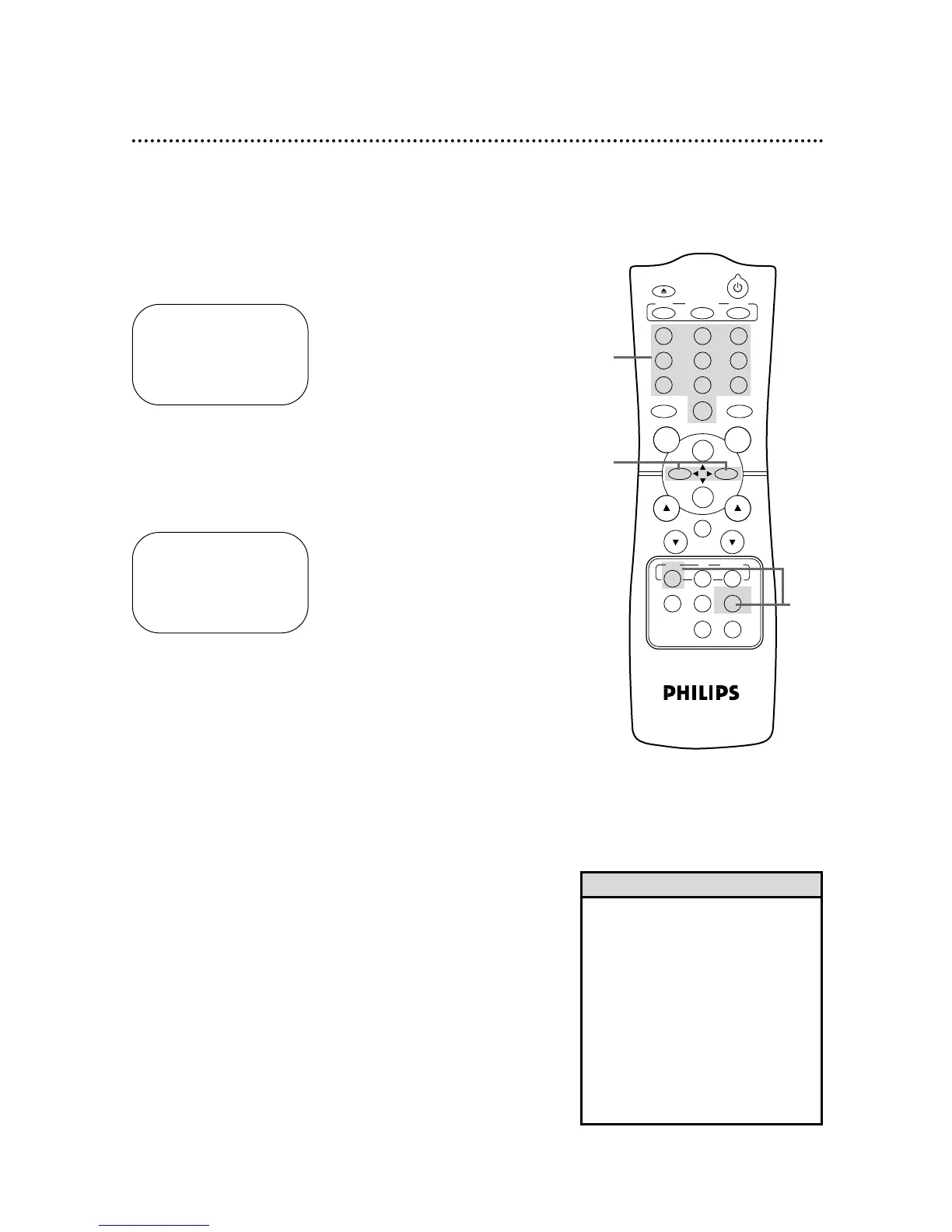
Press the VCR button, then press the TIME SEARCH but-
ton.
2
Within 10 seconds, use the Number buttons to enter the
desired length of time you want to skip forward or back-
ward. For example, for 1 hour, 25 minutes, press Number but-
tons 1, 2, 5. Or, for five minutes, press Number buttons 0, 0, 5.
3
Within 10 seconds, press the F.FWD/B button or the
REW(ind)/{ button. The VCR will skip over the specified
length of time, then begin playback.
• If you want to search for more than
59 minutes, you must enter the
length of time in hours and minutes.
For example, to search forward 70
minutes, press 1,1,0 at step 2.
• You can not do a Time Search
while recording.
• To remove the Time Search display,
press the TIME SEARCH button
again.
• To cancel a Time Search that is in
progress, press the STOP/p button.
Helpful Hints
TIME SEARCH
0:00
ENTER SEARCH TIME
3
2
1



 To Next Page