40 41
Replay gap means the time gap between two repeats. You can
choose the “Replay gap” from the Playing Menu then press
MENU button to enter Replay gap setting. Use “+” and “-” to
adjust Replay gap setting.
From the Playing Menu select the “Play speed” to enter the Play
Speed setting interface. With screen displaying a value of play
speed, press + or - to turn up or turn down the play speed. See
the below related reference pictures:
7.1.5 Replay gap
7.1.6 Play speed
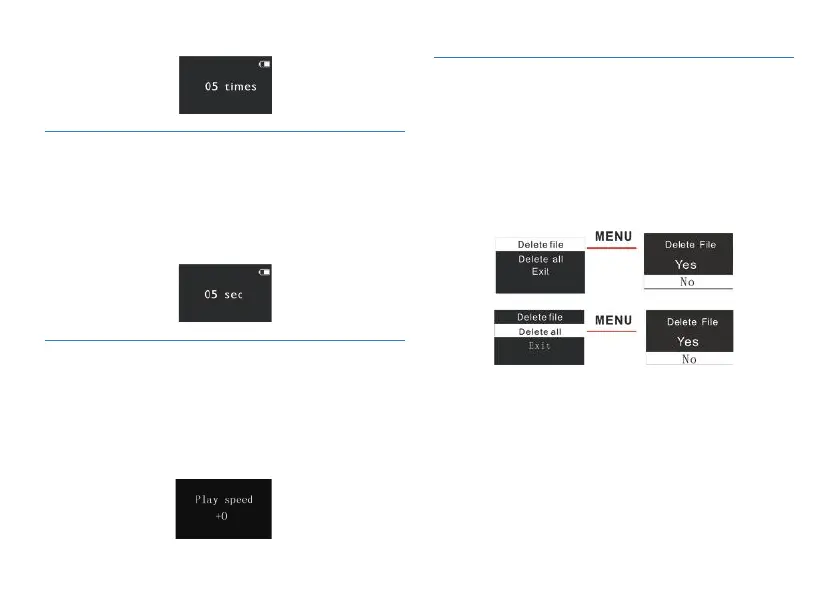
On the play-stop interface, long press the delete button, the
below menu pops up with modes: Delete file, Delete All and
Exit. See the below interface picture. On the left interface, press
+ or – to choose delete file or delete all; on the right interface,
press + or – to choose Yes to confirm deletion and choose No
to keep the files; Press Menu to confirm operation.
7.2 Delete Files
This product supports "*.lrc" lyrics files, realizing the synchronous
broadcasting of songs and lyrics.
7.3 The lyrics displayed















 To Next Page