44
9 Setting Mode
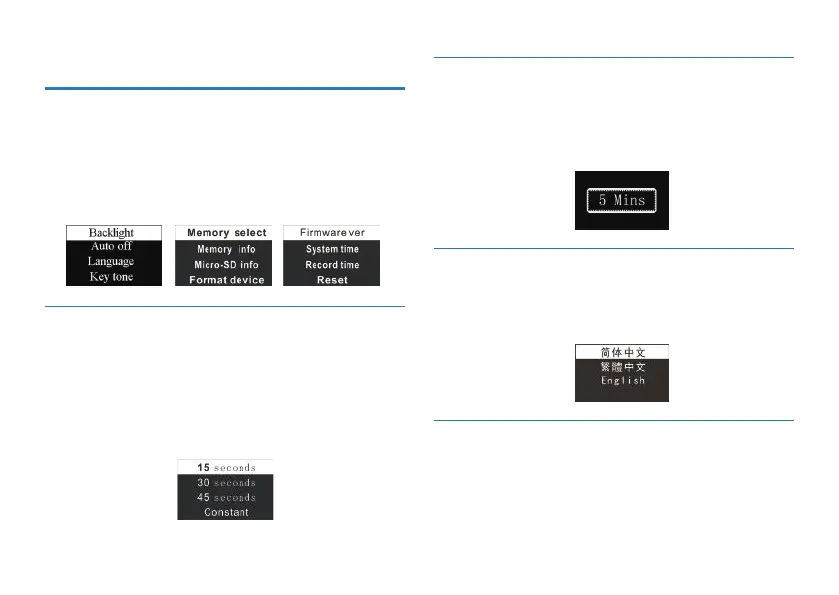
From the main menu select Setting mode, press MENU button
to enter. The Setting mode interface includes: Backlight, Auto
off, Language, Key tone, Memory select, Memory information,
Micro-SD information, Format device, Firmware Version ,
System time, Record time, Reset.
The backlight time function can be set at: 15, 30, 45 and
Constant. If there’s no operation on the device for the set time,
the backlight turns off automatically. If you select Constant, the
backlight is to be always on. See the below picture of Backlight
Time setting:
If there’s no operation on the device for a set time, the system
automatically shuts down. If the time is set at 0, the system will
not automatically shut down. See the below auto off picture:
From the Language menu you can choose a language as system
language. See the following interface picture:
From the Key Tone settings menu, you can choose to open or
close the key tone. After closing key tone, the key tone will not
work in any key operation. See the following picture:
9.1 Backlight Time
9.2 Auto off
9.3 Language
9.4 Key tone















 To Next Page