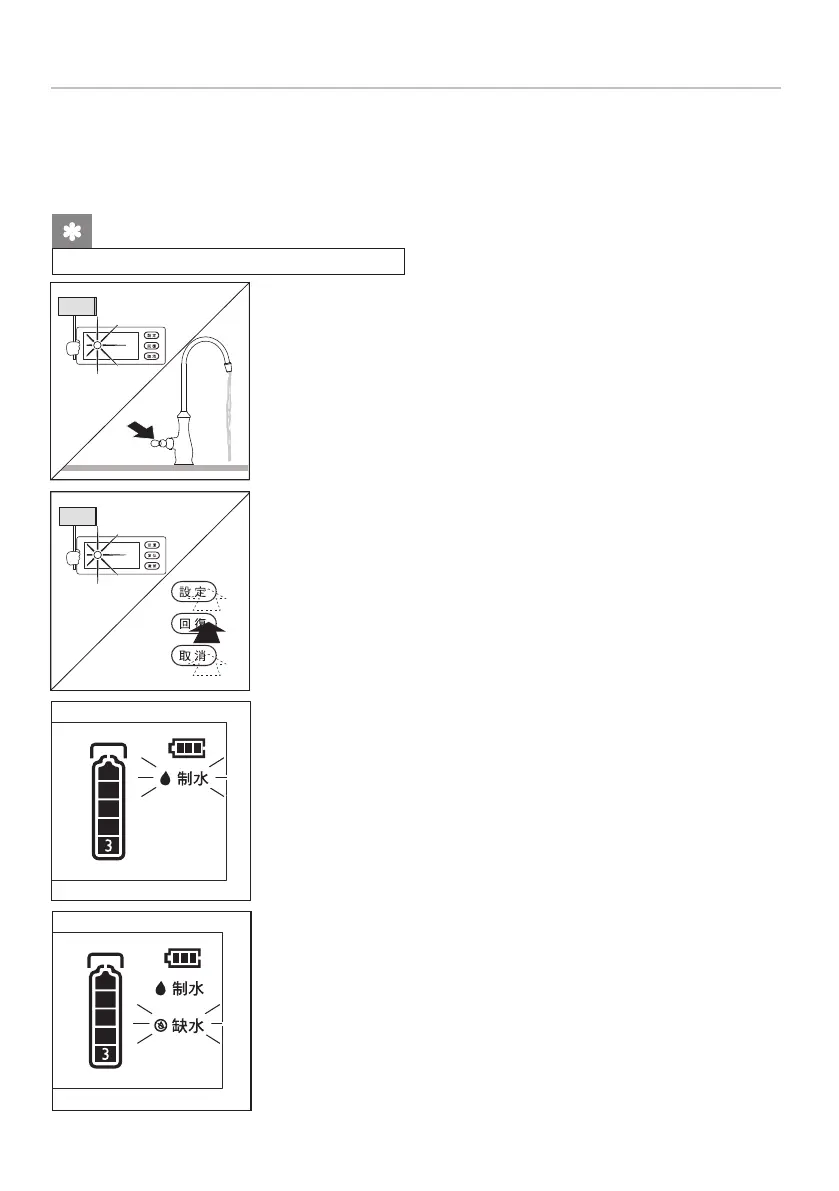
(3) Turn on the faucet to outlet ltered water, and the display
screen lights up. If no button-pushing, the screen will
enter the energy-saving mode after lighting up for 25s.
(2) When the screen is not displayed, push any key to light
up the display screen for 25 seconds.
(3) Water production icon: When the water ltration system
is working, the “Water Production” icon will ash.
10. Usage Instruction
First use
(1) Turn on the lever of the faucet;
(2) Turn on the three-way connector; before the rst use, run the water for 5 minutes.
Display function description
for WP4161/01 and WP4161/91 only
Notes:
25 s
25 s
(4) When the water ow is too low, which means probably the
lter needs to be replaced, the "Water Shortage" icon will
ash.
20










 To Next Page