41
42
20mm
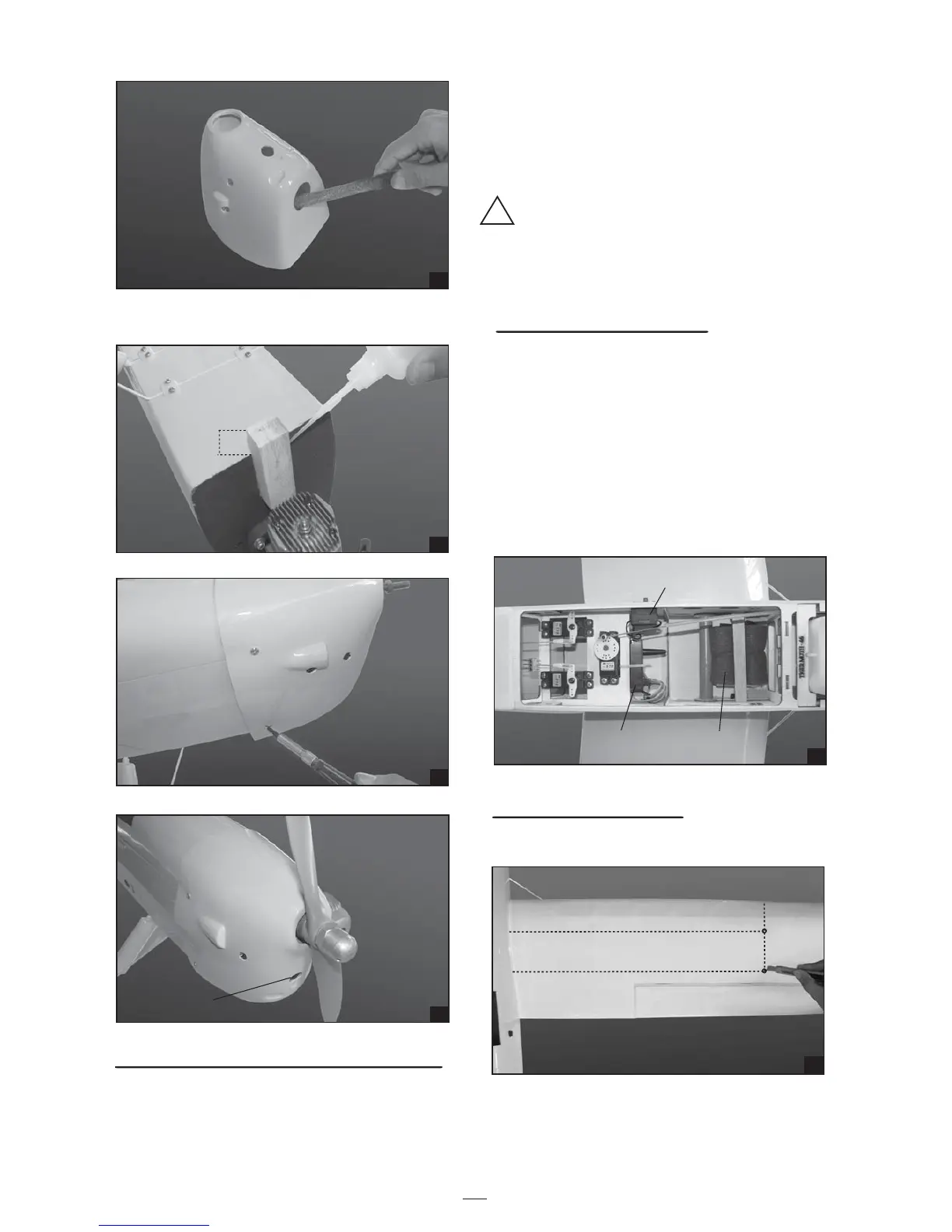
8. Glue the wood.
11
INSTALLING THE WING
1. Remove the covering from the lower wing.
43
44
Cowl area cutout
for proper airflow
to carburetor.
!
2. Wrap the receiver and battery pack in the
protective foam to protect them from vibration.
Use a rubber band or masking tape to hold the
foam in place.
3. Strap the battery pack and receiver onto the
wing joiner tube in the fuselage.
Do not permanently secure the receiver and
battery until after balancing the model.
4. Using a 2mm drill bit, drill a hole through the
side of the fuselage, near the receiver, for the
antenna to exit.
INSTALLING THE SWITCH
1. The switch should be mounted on the fuselage
side, opposite the muffler, close enough to the
receiver so the lead will reach. Use the face
plate of the switch cut out and locate the
mounting holes.
2. Cut out the switch hole using a modeling knife.
Use a 2mm drill bit and drill out the two
mounting holes through the fuselage side.
3. Secure the switch in place using the two
machine screws provided with the radio system.
INSTALLING THE RECEIVER AND BATTERY
1. Plug the servo leads and the switch lead into
the receiver. You may want to plug an aileron
extension into the receiver to make plugging in
the aileron servo lead easier when you are
installing the wing. Plug the battery pack lead
into the switch.
45
Receiver
Battery
Switch
46
440mm
440mm
70mm
68mm


 To Next Page