04. How to install the labeling tape
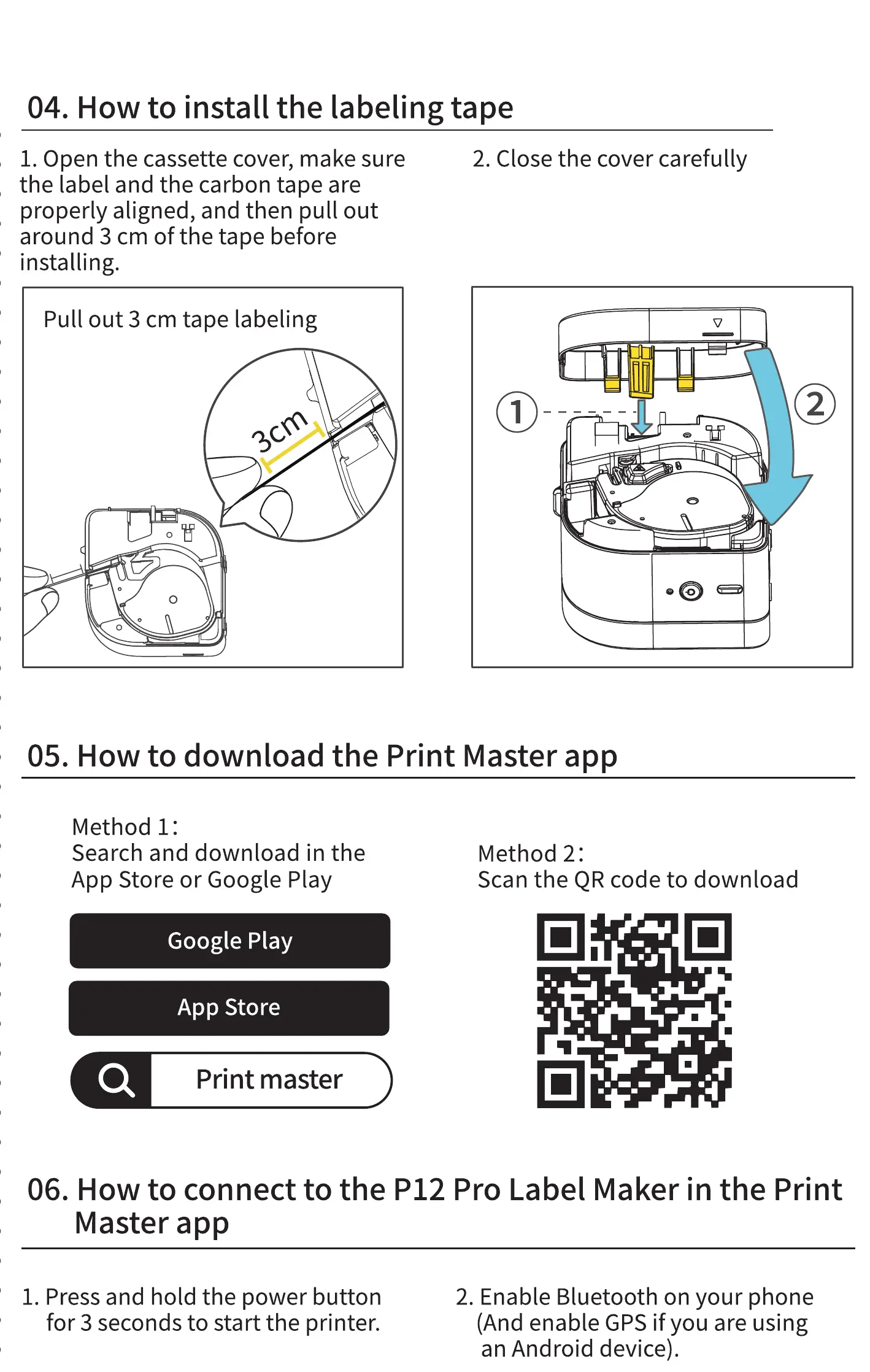
1. Open the cassette cover, make sure
2. Close the cover carefully
the label and the carbon tape are
properly aligned, and then pull out
around 3 cm of the tape before
installing.
Pull out 3 cm tape labeling
-U
05. How to download the Print Master app
Method 1:
Search and download in the
App Store or Google Play
Google Play
App Store
Method 2:
Scan the QR code to download
06. How to connect to the P12 Pro Label Maker in the Print
Master app
1. Press and hold the power button
for 3 seconds to start the printer.
2. Enable Bluetooth on your phone
(And enable GPS if you are using
an Android device).



 To Next Page