Bluetooth
Note
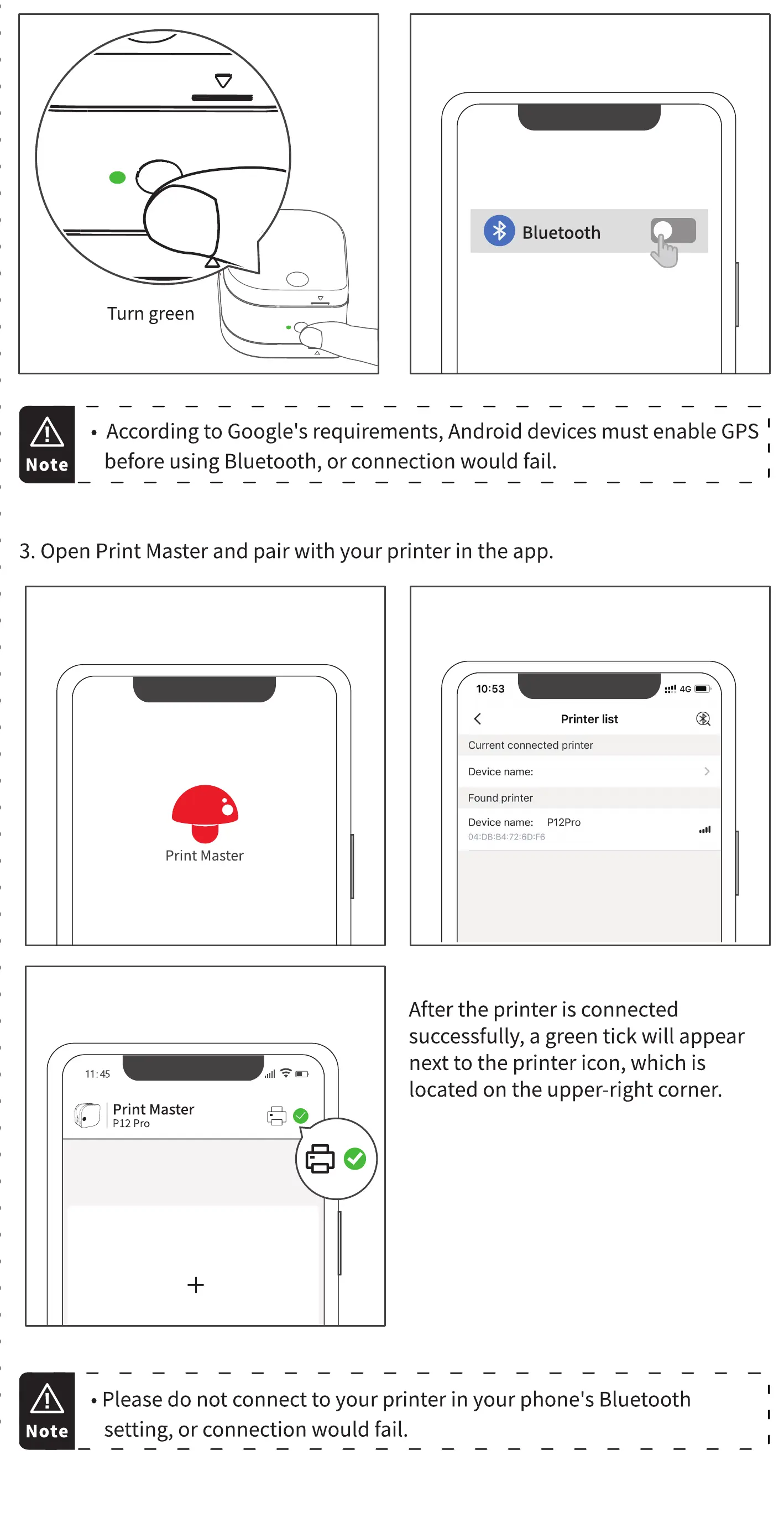
Turn green
• According to Google's requirements, Android devices must enable GPS
before using Bluetooth, or connection would fail.
3. Open Print Master and pair with your printer in the app.
10:53
Print Master
11:45
Print Master
P12 Pro
Printer list
Current connected printer
Device name:
Found printer
Device name: P12Pro
After the printer is connected
successfully, a green tick will appear
next to the printer icon, which is
located on the upper-right corner.
Note
• Please do not connect to your printer in your phone's Bluetooth
setting, or connection would fail.



 To Next Page