44
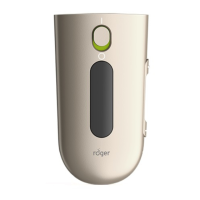
Once you have connected another microphone with
your Roger Pen, it can only be used together with
Roger Pen. The other microphone will blink red if it
does not nd your Roger Pen. If you want to
disconnect it from your primary Roger Pen, use the
NewNet function (see ‘Special Functions’ on page 41).
It’s possible to add up to 10 other Roger microphones
to your Roger Pen.
If you want to connect another Roger Pen to yours,
you must rst disable the second Roger Pen’s
Bluetooth before it can be connected.
6. Adding additional microphones












 To Next Page