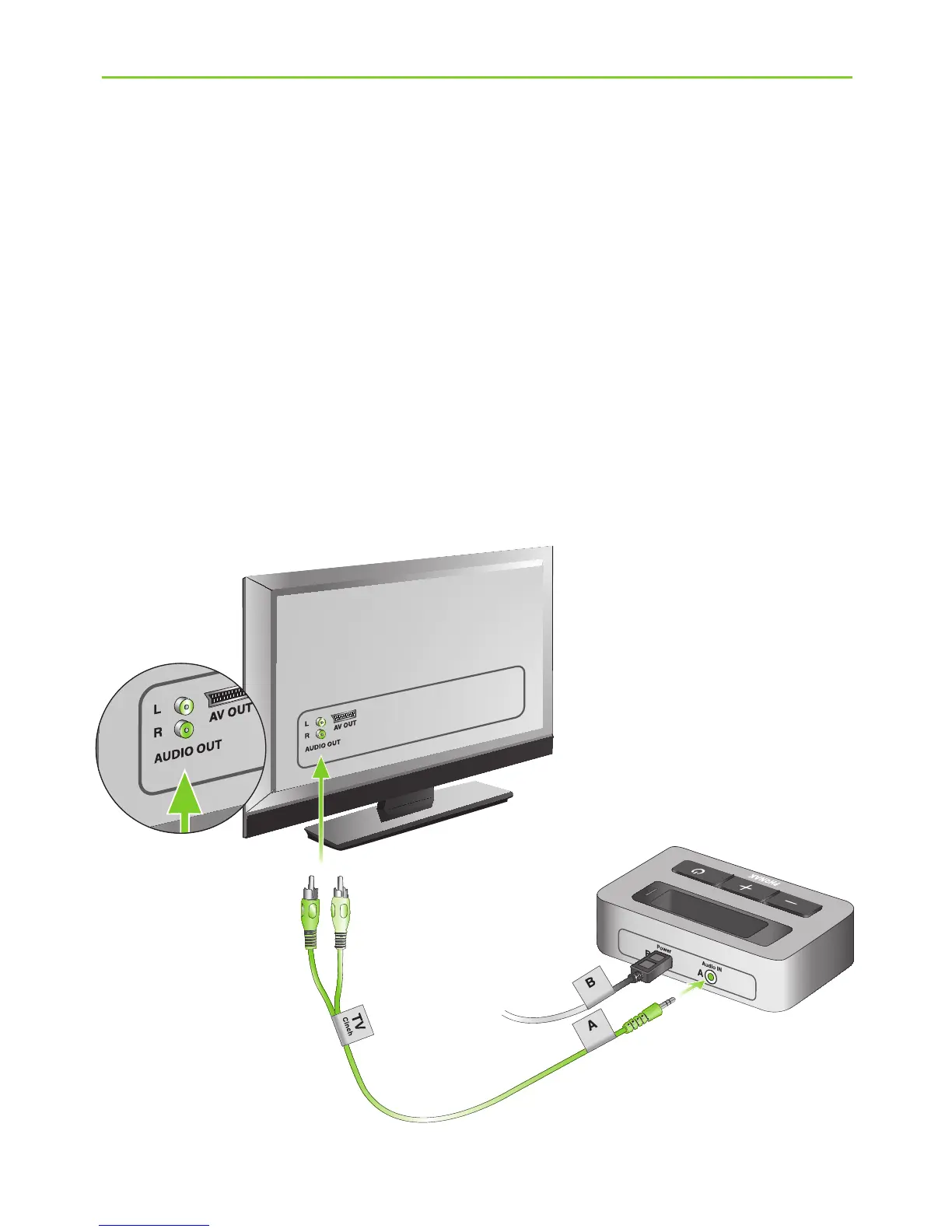
Use the RCA/Cinch cable (i) to connect the TVLink
basestation to the TV:
J Connect the 3.5 mm stereo plug to the audio input
(“Audio IN”) of the TVLink basestation. Connect the
red and white RCA/Cinch plugs to the matching
red and white RCA/Cinch output sockets on your TV.
(e)
(i)
4. Installing the Phonak TVLink








 To Next Page