Step 3: Pairing iCom and the TVLink basestation
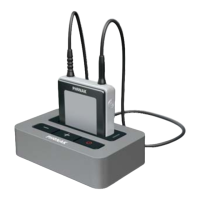
If you received the iCom and the TVLink basestation
together in the complete TVLink package, iCom
is already paired with the TVLink basestation. You
will see two solid blue light indicators, (g) and ,
and may directly proceed to step 4.
Before starting to use the TVLink system, iCom and
the TVLink basestation need to be paired. The pairing
procedure controls which Bluetooth devices are
permitted to communicate with each other.
Make sure both devices are switched on as described
in step 2 above.
You do not need to insert iCom into the basestation
charging slot (f) during pairing.
Pairing needs to be completed only once for each
device you wish to use with your iCom.
4. Installing the Phonak TVLink






 To Next Page