TVLink basestation
Step 1: Connecting the TVLink basestation
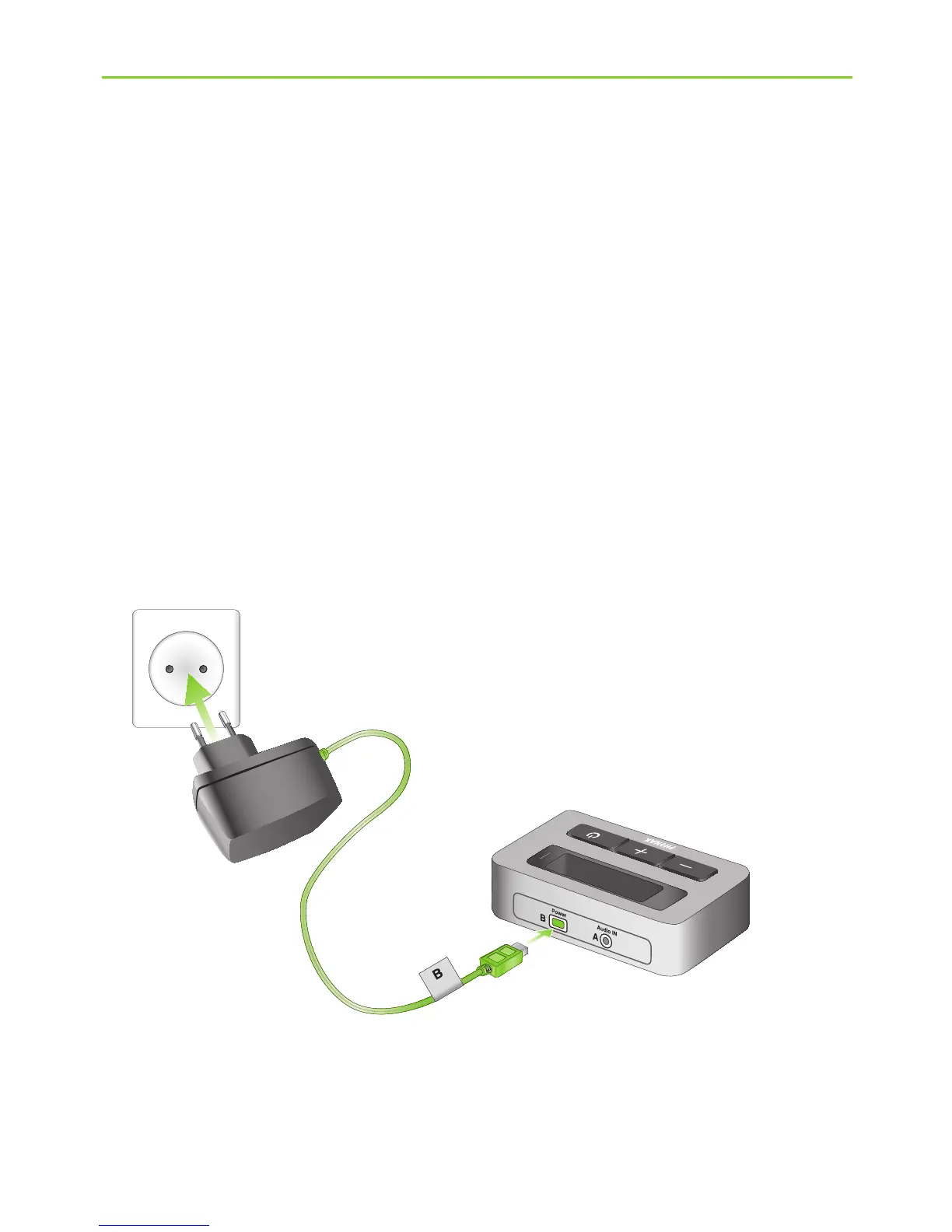
To connect the power supply (h):
J Place the TVLink basestation next to your TV.
Connect the mini-USB plug of the power supply to
the Power input (“Power”) of the TVLink basestation.
Plug the power supply into the wall socket.
4. Installing the Phonak TVLink
(d)
(h)






 To Next Page