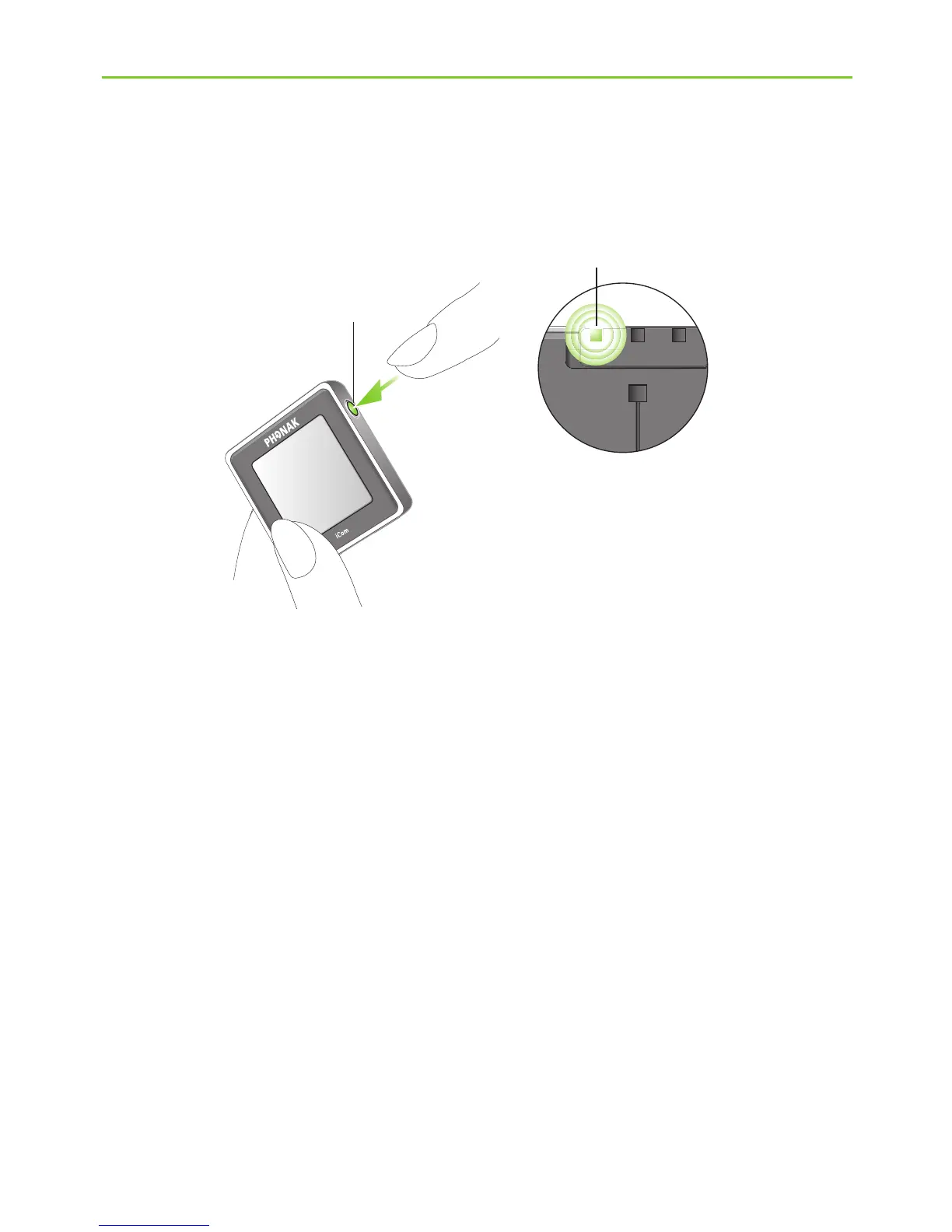
Step 2: Switching on all devices
To use the TVLink, all devices must to be switched on.
J Switch on your TV or other audio source.
J Make sure your hearing instruments are switched on
and properly in place.
J To turn ON your iCom, press and hold the ON/OFF
button a as shown in fig. 1 for one second until you
see the battery indicator illuminate.
a
Fig. 1
4. Installing the Phonak TVLink






 To Next Page