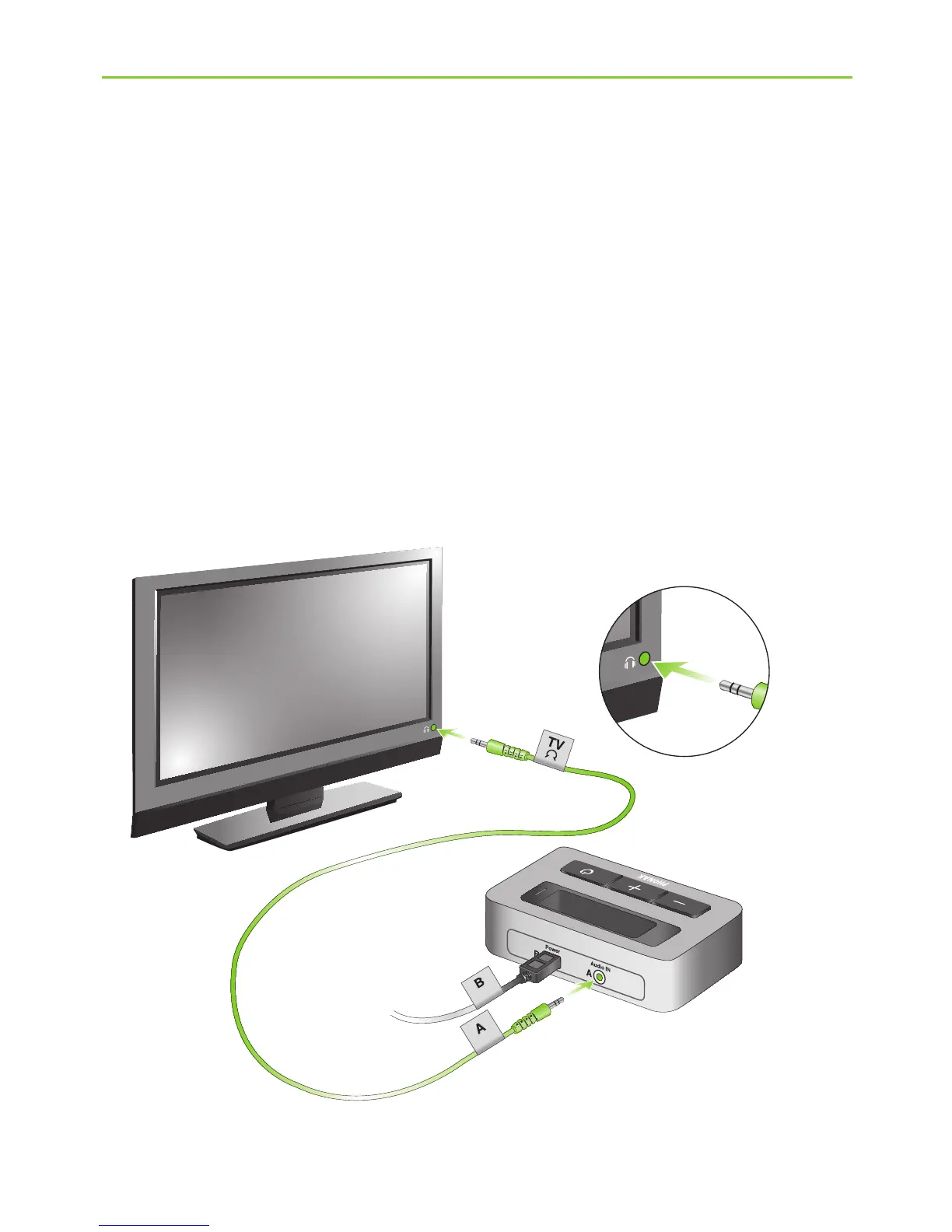
4. Installing the Phonak TVLink
You can also connect your TVLink basestation to the
3.5 mm headset socket of your TV, using the 3.5 mm
audio cable (k):
J Connect the 3.5 mm stereo plug to the audio input
of the TVLink basestation (“Audio IN”).
J Plug the other end into the headset output socket
of your TV.
(e)
(k)






 To Next Page