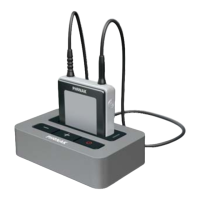
If the iCom moves out of range of the TVLink basestation
the wireless audio transmission will be terminated.
If iCom is then moved back into range of the TVLink
basestation, it will automatically resume streaming
to your hearing instruments.
It may take up to 10 seconds until the streaming
resumes. Both streaming light indicators , (g)
should be solid blue during streaming.
If the TVLink basestation status light (g)
– is green, make sure TV sound and iCom are
switched on.
– blinks blue, you are in paused mode. Press the
iCom main button (b) to resume streaming.






 To Next Page