Special effects
The DFX2000 has 3 special effects in total. The Harmonic effect
can be used to add more harmony to vocals. The Sampler effect
allows you to record up to 9 seconds of audio, using Edit A to
record and Edit B to playback. A Resonator mimics an oscillation
system that amplies specic frequencies.
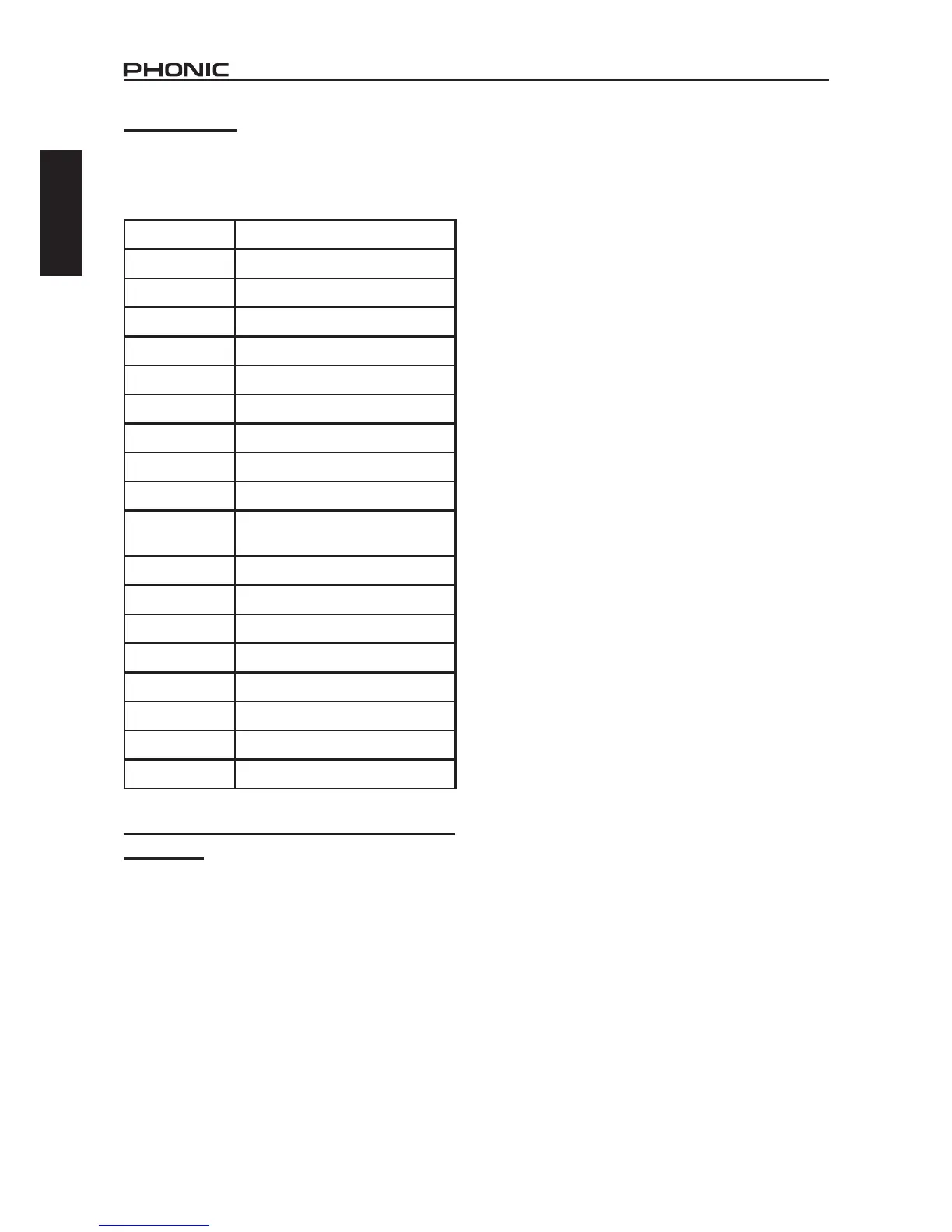
Parameter What it does
Drive Adjusts the strength of Harmonic effect
Gain Used for gain correction
Harmonic
Adjust the harmonic overtone of the
effect
dB
Adjusts the level of the signal in
decibels
Frequency
Adjusts the frequency at which the
harmonic sound will be created
Q Q factor
Record Start / stop recording
Play Start / stop playing
Speed Adjusts the playback speed
Mode
Changes the direction of playback
(forward or backwards) and the
number of repetitions.
Start time Selects the playback starting point
Stop time Selects the playback stop point
LFO
Adjusts the intensity of low frequency
oscillations
Pre-delay Adjusts the time until the rst oscillation
Depth
Adjusts the strength of the resonator
effect
Phase Adjust the phasing by 0 to 180 degrees
LPF
Adjusts the cut off frequency of a low
pass lter
Wave type
Swaps between sine and triangular
wave types
Effect algorithm combinations (multi-effect
programs)
There are a number of combination effects featured on the
DFX2000 (49 in total), each of which takes the most important
and interesting parameters from the separate effects and lets
you adjust them to create fantastic and unique sounding audio.


 To Next Page