11
DMX15012501
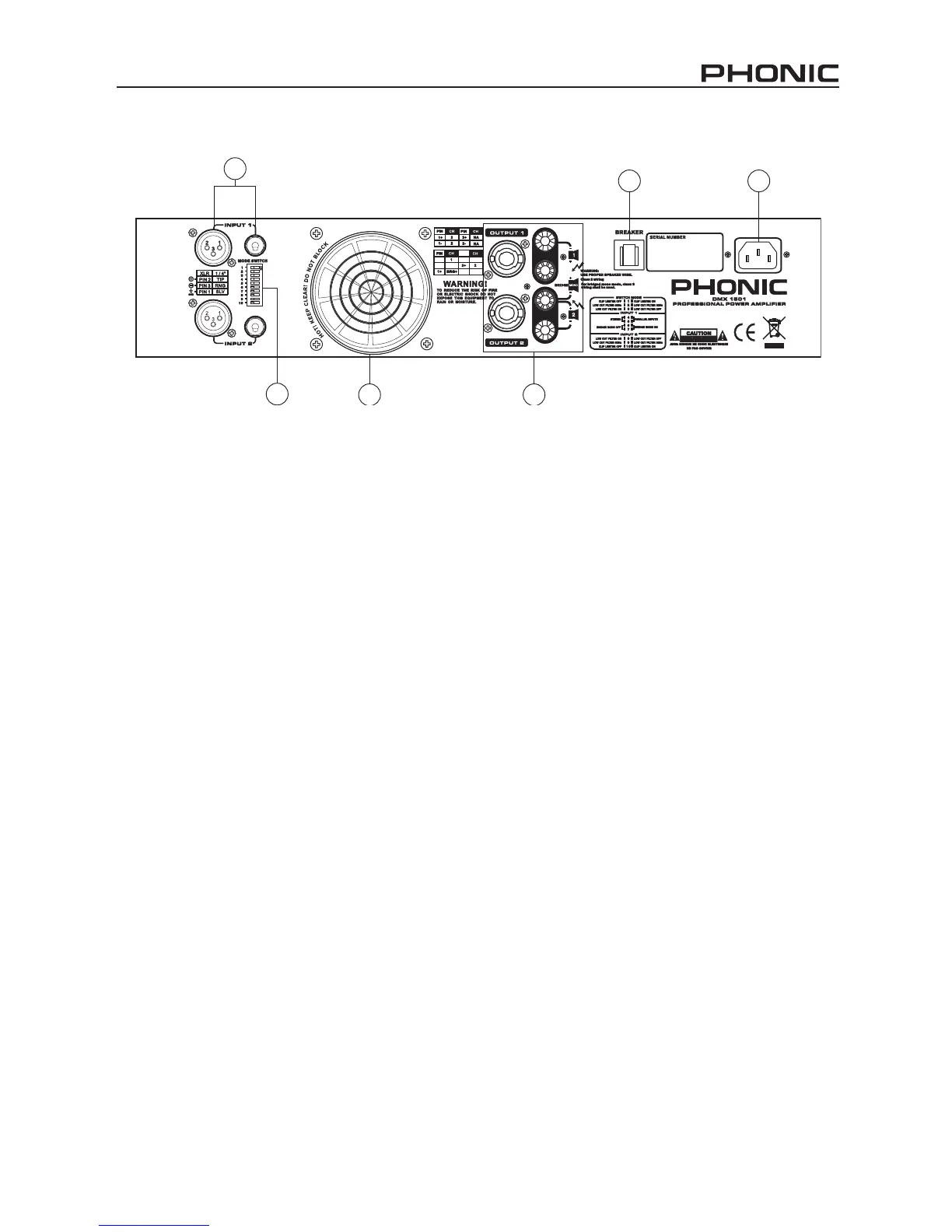
8. Fan
This variable speed fan automatically maintains a
safe internal temperature. Keep the vents clear to
allow full airow, as cool air will be drawn into the
rear of the amplier.
9. Output Connectors
A pair of versatile binding posts and Speakon con-
nectors are provided for output connections of each
channel. Loudspeakers can be easily connected us-
ing banana plugs, spade lugs, bare wires or Speakon
connectors. Spade lugs and bare wires should both
be screwed down tight, as to avoid a short circuit.
The Speakon connector for channel 1 includes chan-
nel 1, channel 2 and bridged mono pin connecting
points. A pin out information could be found beside
the Speakon connector. The loading of each speaker
in stereo or parallel mode should be greater than 2
ohms, and in bridge mono mode should be above
4 ohms. When in Bridge mode, use the center two
connectors only.
10. Reset Breaker
With rated loads and output levels, the breaker
should only shut down the amplier in rare instanc-
es of failure. The circuit breaker can also shut down
the amplier in cases where extremely low-imped-
ance loads and high output levels result in a current
draw that exceeds its rating. In any instances, if the
breaker needs resetting, this is where it is done.
11. Power Connector
Connect an AC power cable to the DMX amp’s
power connector and a suitable power source will
allow the unit to function. This connector is a 3-pin
grounding type cable that, as this is a safety feature,
should not be defeated. Check to ensure that lo-
cal AC voltage levels coincide with your amplier’s
power requirements before connecting the plug.



 To Next Page