13
FireFly 302
Macintosh OS X (10.3.5 or later)
The FireFly 302 works with the primary audio drivers of Macintosh OS X 10.3.5 and
later. First verify that you are running Macintosh OS X 10.3.5 or above, then connect
the FireFly 302 to a FireWire port to the computer. To ensure your FireFly 302 is work-
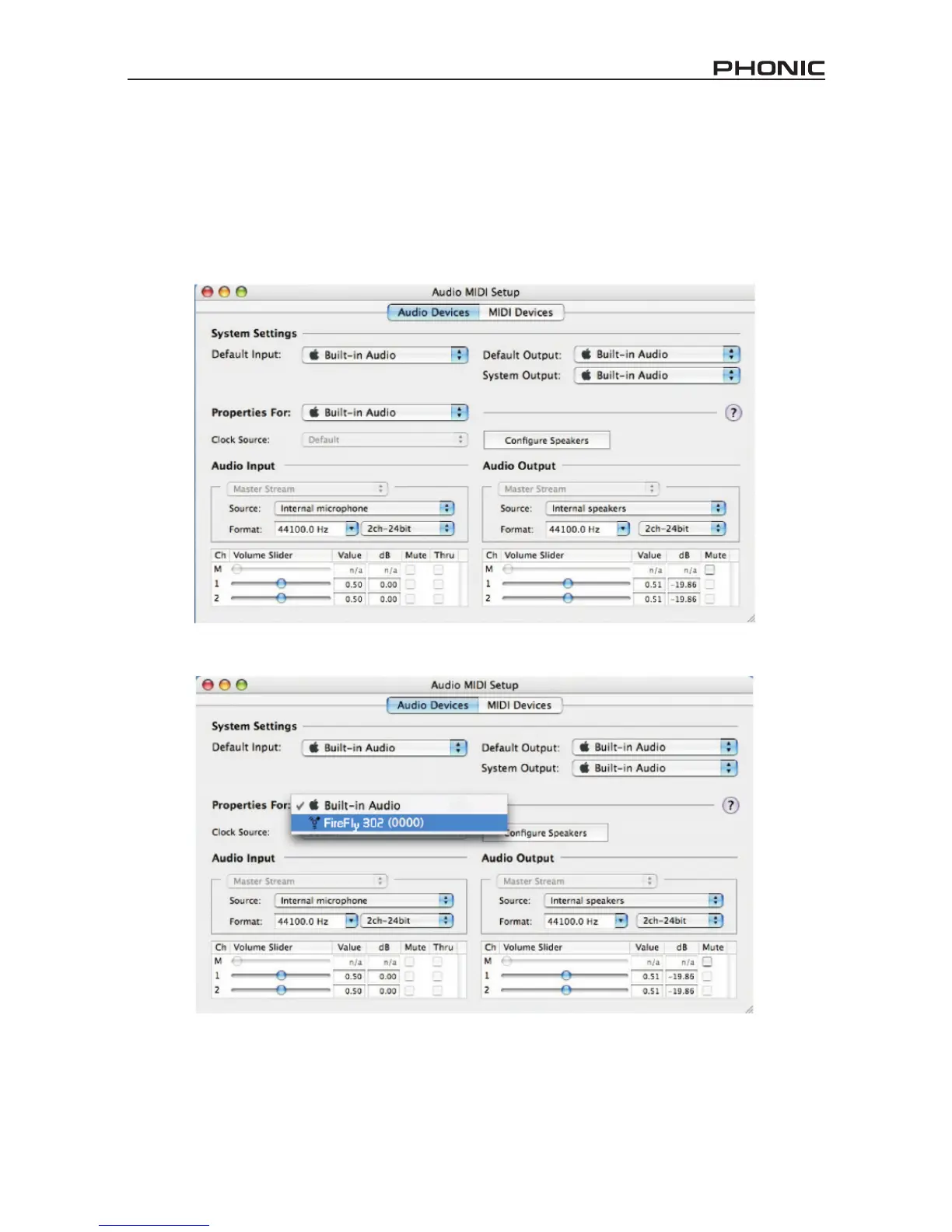
ing, enter the Utilities folder and double-click the Audio MIDI Setup icon.
Enter the Audio Device’s section. From the “Properties for” pull-down tab, select FireFly 302.
At the bottom of the window, users can edit the setup of the FireFly 302.
Properties such as sampling rate and clock source can be altered.
Users may also opt to make the FireFly 302 their default input and/or output device.


 To Next Page