9
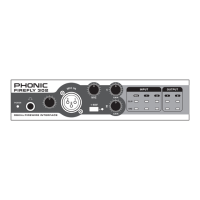
FireFly 302
FireWire Interface
System Requirements
The following are the minimum required specications for use with the FireFly. If your
computer does not meet these requirements, you will experience lagging of audio and
possible freezing of your computer when attempting to operate the FireFly.
Windows
• Microsoft® Windows® XP SP1 and SP2
• Available FireWire port
• Intel Pentium® 4 processor or equivalent AMD Athlon processor
• Motherboard with Intel or VIA chipset
• 5400 RPM or faster hard disk drive (7200 RPM or faster with 8 MB cache recom-
mended)
• 256 MB or more of RAM (512 MB recommended)
Macintosh
• OS X 10.3.5 or later with native FireWire support
(OS X 10.4.7 may have some stability issues)
• G4 or newer processor
• 256 MB or more of RAM
Driver Installation
To use the FireFly efciently (or at all) on a PC, it is important to install all the necessary
drivers from the included CD1 (ASIO and WDM drivers). It is important that users read
all instructions carefully before continuing on to the each step of installation, as users
will be required to unplug and plug in their FireWire device. This is not necessary for
Mac users.
Windows XP (with Service Pack 1 or 2)
1. It is recommended that you quit all applications before starting the installation pro-
cess.
2. Ensure the FireFly is not yet connected to your Computer’s FireWire input.
3. Insert the installation CD included with your FireFly into the CD-ROM drive of your
computer. If the CD does not automatically start the installation process within a
few moments, then navigate to “My Computer” g your CD-ROM drive g “Drivers
and Control Panel FireFly 302” g double-click “setup.exe” to begin the installation
manually. The FireFly Control Panel software also will be installed at this time.
4. Follow the on-screen installation instructions.


 To Next Page