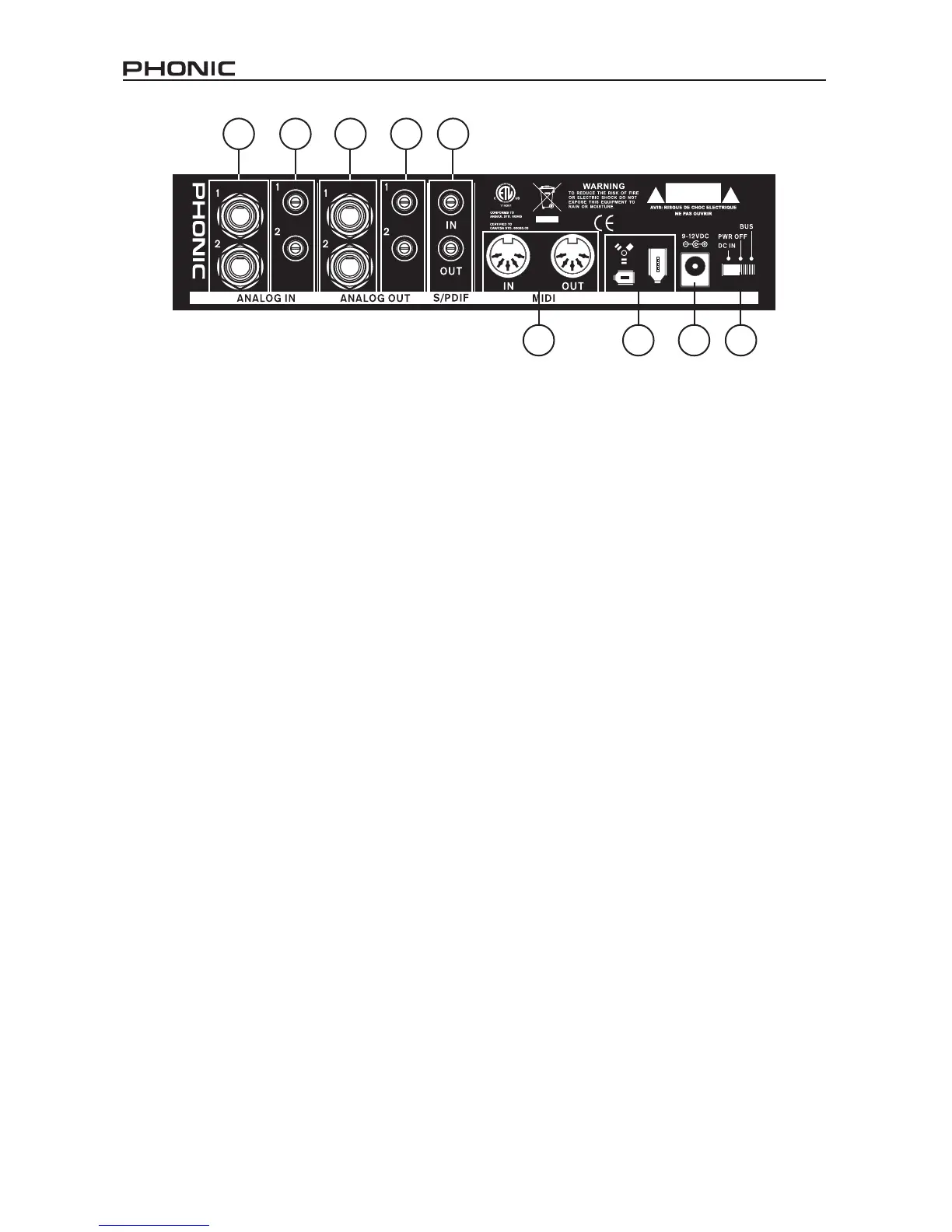
13. MIDI In/Out
You can have 16 simultaneous MIDI
input/output channels sent to and from
your computer through the FireFly 302.
14. FireWire Ports
This is a digital FireWire (a.k.a. PC
IEEE 1394) interface that you can use
to connect to your computer. Doing so
allows users to send their audio signal
from the FireFly to the Computer, and
vise-versa. There are both the 4-pin and
6-pin varieties available – the difference
being the 6-pin will allow you to power
the FireFly through the FireFly connec-
tion (provided the Power Selector Switch
is set to ‘BUS’).
15. 9-12VDC Input Power Jack
Connect the supplied DC converter to
this jack to feed the unit. Please only
use this DC converter in order to ensure
no damage is done to the FireFly. If,
for any reason, your converter gets lost
or damaged and you need a new one
please contact your local dealer. This
option lets you work on the road without
draining your laptop’s battery.
16. Power Selector Switch
This switch gives users three operation
options: DC IN will turn on the FireFly
using the DC input power; PWR OFF
will turn the FireFly off, and; BUS will
allow the FireFly to use Power provided
through the 6-pin FireWire connection.
8
9
10 11
12
13 14 15 16


 To Next Page