10
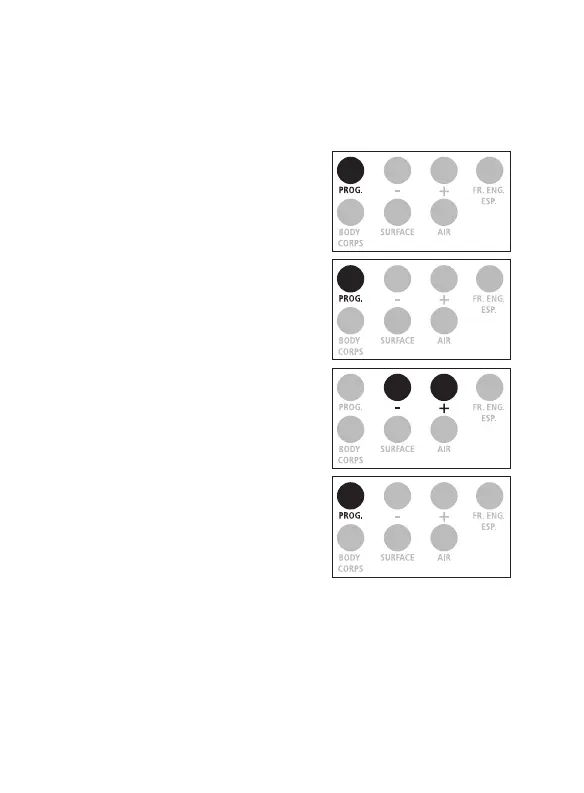
1. Press on the ‟ PROG. ” button
for 3 seconds, the screen
displays F1.
2. Press on the ‟ PROG. ” button
three times to get F4.
3. Select ‟ + ” to increase the
difference by 0.1°C (0.1°F),
‟ - ” to reduce it by 0.1°C (0.1°F).
4. Conrm by pressing on the
‟ PROG. ” button.
Note: If in doubt, do not modify this setting.
Each time there is a signicant change in the ambient temperature due to
a change in environment, allow the ProScan
TM
Non-Contact to adapt to
the new ambient temperature for at least 15 minutes before using it.
How to Calibrate the Thermometer
Note: The Non-Contact ProScan
TM
default is 0.0°C as the thermometer is already
calibrated at the factory. You can calibrate your thermometer, but we recommend
not to modify this setting.
x 3


 To Next Page