13
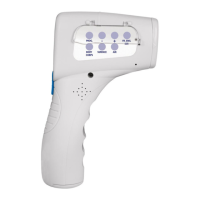
DIRECT SELECTION BUTTONS
1. The ProScan
TM
Non-Contact has been specially designed
to take the body temperature of a human being by using
the ‟ BODY/CORPS ” function.
2. You can also use the ProScan
TM
Non-Contact to measure
the temperature of an object, food (baby food, etc.) or
liquid (bath water, milk bottle, etc.) by selecting the
‟ SURFACE ” button.
3. By pressing the ‟ AIR ” button, you will obtain the
temperature of the room.
4. By pressing the ‟ FR. ENG. ESP. ” button, you can change
the language from French to English to Spanish, or turn off
the language function.
The default language setting is English.
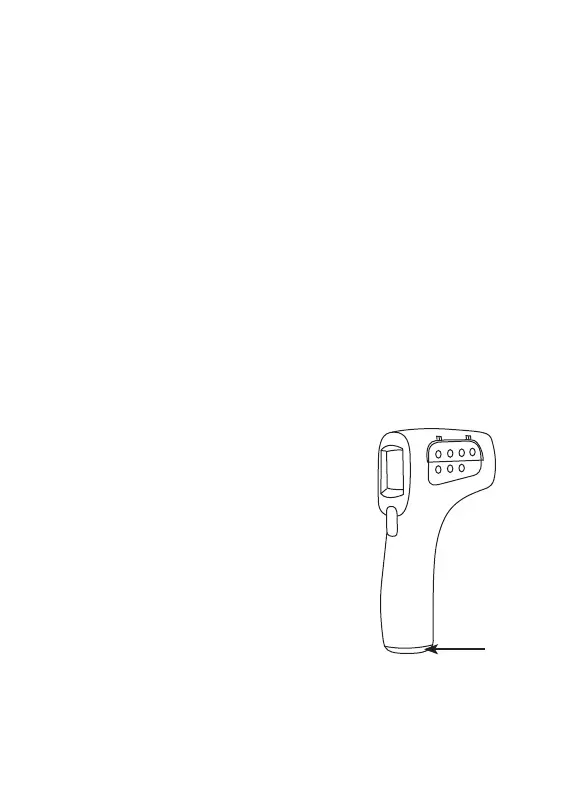
CHANGING BATTERIES
1. When the LCD screen displays
‟ Battery ”, the battery needs
to be replaced.
2. Open the lid and change the batteries,
ensuring that they are aligned properly
as indicated inside the battery
compartment. A mistake with this
could cause damage to the device
and compromise the guarantee
of your ProScan
TM
Non-Contact
Infrared Thermometer.
3. Never use rechargeable batteries.
Battery
compartment


 To Next Page