12
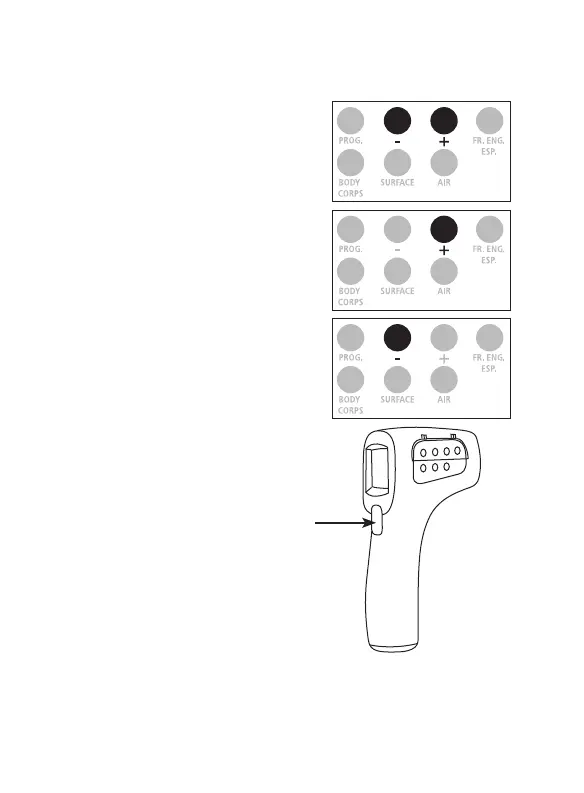
1. To display the last temperature
reading, press simultaneously
on the ‟ - ” and ‟ + ” button.
2. To switch to the previous reading,
press on the ‟ + ” button.
3. Press on the button ‟ - ”
for review.
Note: The number indicated when changing
from one reading to another corresponds to
the number of readings.
4. To exit data memory, press the
measure key. The ProScan
TM
Non-Contact backlight
turns off in 5 seconds and
the product will turn off
in 30 seconds.
DATA MEMORY
Measure
key


 To Next Page