11
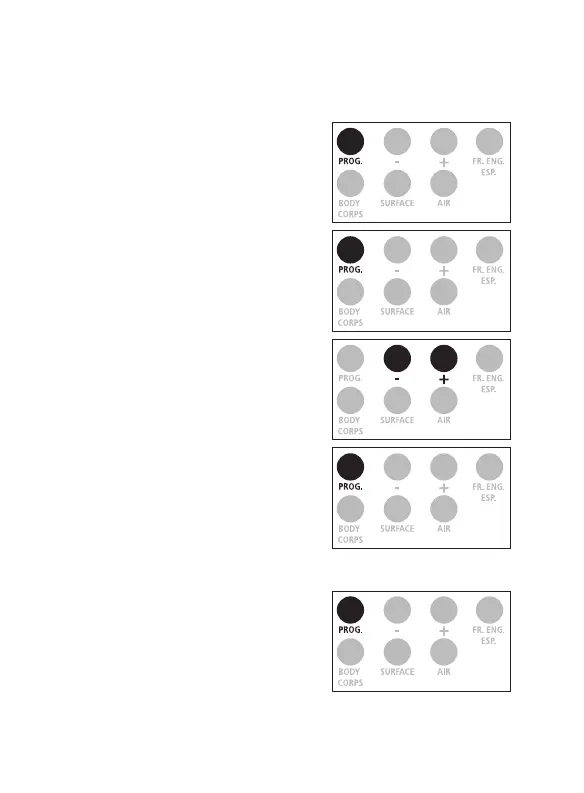
1. Press on the ‟ PROG. ” button
for 3 seconds, the screen
displays F1.
2. Press four times on the ‟ PROG. ”
button to get F5.
3. Select 0 by pressing on the ‟ - ”
button to power off the default
audio feature.
Select 1 by pressing on the ‟ + ”
button to power on the audio
as your default.
4. Conrm by pressing on the
‟ PROG. ” button.
Exiting the setting mode
Press on the ‟ PROG. ” button until
the screen turns off.
Audio ON/OFF
Note: ProScan
TM
Non-Contact default is set to 1 (ON).
x 4


 To Next Page