ManualpiCOMPACT
®
23 SMART IO-Link Ready 2 channelPage 16/24
Installation
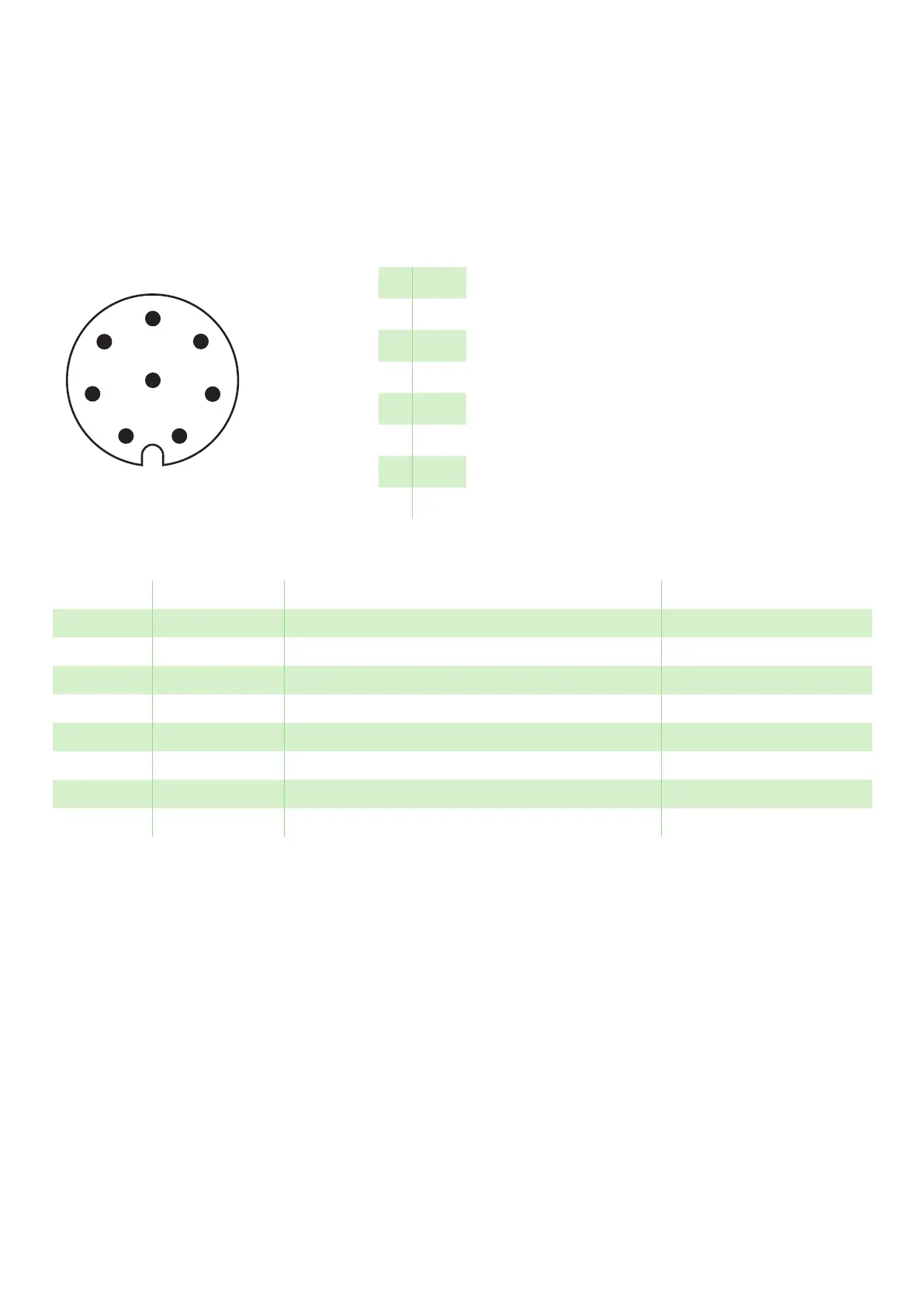
4.2.6 Pin configuration with IO-link ready,
IO-link connections
The change from Std IO to IO-Link can be set in
“Configuration” menu under “IO-Link vs Std-IO”. For
more info, see the manual for your configuration on
www.piab.com for more information.
For detailed information about IODD, see IODD
manual, item number 0207381 on www.piab.com.
1
7
8
6
5
4
3
2
M12 8p
1 WH
2 BN
3 GN
4 YE
5 GY
6 PK
7 BU
8 RD
Class A
Figure 8 Pin configuration with IO-Link Ready.
Pin No. Name Description Note
1 V
sys
Supply voltage, 24 VDC (V+)
2 GND Common, 0 VDC (V-)
3 (V1) Not connected
4 (V2) Not connected
5 (S1) Not connected
6 C/Q (S2) IO-Link
7 (C1) Not connected
8 (C2) Not connected


 To Next Page